Oxide StudiosOxide Studios
OXIDE MENU | Modern Menu System for QBCore - Image 1

Oxide Menu | Modern Menu System for QBCore

Upgrade every interaction on your server with a sleek, modern menu experience built for 2026 roleplay.


Overview

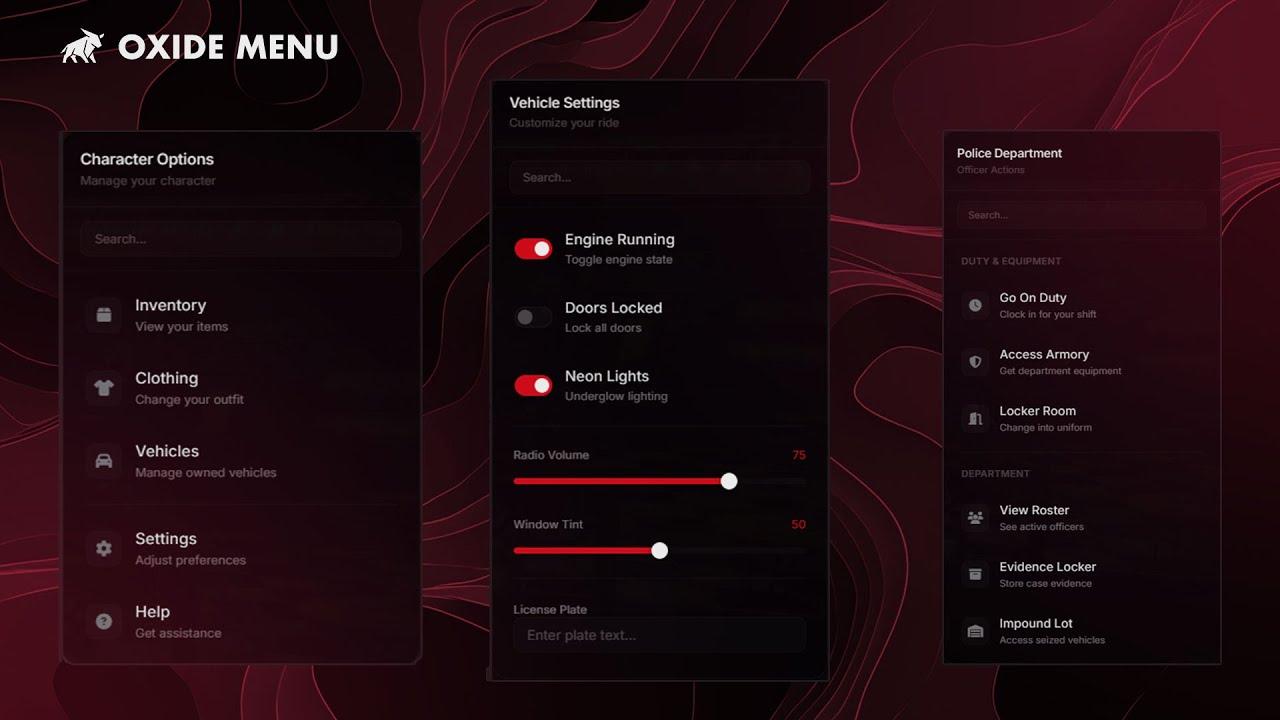
Oxide Menu is a feature-rich, glassmorphic menu system designed as a drop-in replacement for qb-menu. It delivers a modern UI, interactive components, and powerful quality-of-life features — all while maintaining 100% backwards compatibility with existing QBCore scripts.

This resource requires zero code changes to existing menus. Simply replace qb-menu and everything continues to work — only better.

Free | Open Source | QBCore


Features

Modern UI

  • Glassmorphic Design — Backdrop blur, subtle borders, and smooth animations
  • Multiple Themes — Oxide (glass), Dark (solid), and Light
  • Animation Styles — Slide, fade, or scale transitions
  • Native Sound Effects — GTA V–style UI sounds for hover, select, and close

Interactive Elements

Oxide Menu goes beyond basic button lists with rich, interactive components:

  • Checkboxes — Animated toggle switches with on/off states
  • Sliders — Range inputs with live value display
  • Text Inputs — Inline text fields with placeholder support
  • Headers & Dividers — Clean section organization

Quality of Life

  • Built-In Search — Instantly filter large menus
  • Full Keyboard Navigation — Arrow keys, Enter, Escape, Backspace
  • Submenu System — Multi-level navigation with history tracking
  • Persistent Menus — Keep menus open after selection (ideal for shops)
  • Live Updates — Update menu items in real time without closing

Developer Friendly

  • Full qb-menu Compatibility — Existing scripts work with no changes
  • Modern & Legacy APIs — Choose the API style that fits your project
  • Callbacks — onSelect, onClose, onRefresh
  • Event Listeners — Support for checkboxes, sliders, and inputs
  • Security Options — Optional event whitelisting

Installation

  1. Download and extract oxide-menu into your resources folder
  2. Remove or comment out qb-menu in your server.cfg
  3. Add ensure oxide-menu to your server.cfg
  4. Start the server — all menus work automatically

Requirements

  • QBCore
  • qb-inventory (optional, for item icons)

Links


Open Source

Oxide Menu is completely free and open source. Use it, modify it, and contribute to it under the MIT License.

Oxide Menu by Oxide Studios

OXIDE MENU | Modern Menu System for QBCore

QBCore
Free
FrameworkQBCore
Last UpdatedJan 19, 2026