 Oxide HUD
Oxide HUD
Free FiveM HUD creator / Oxide Studios
Oxide
HUD
Make it yours.
Type /hud and every player builds their own HUD in game: drag any of 66 pieces of data onto the screen, give it one of 13 styles, or start from one of 42 templates.
Free · Delivered to your Cfx.re Portal assets
Templates, drag and snap, and rules. Shots from the launch film.
66
Pieces of data
13
Styles
42
Templates
6
Vehicle types, a layout each
The film
See it in motion.
The launch film: a HUD built from an empty screen, in game, one piece at a time.
01The editor
Built in game.
By every player.
Type /hud and the screen becomes a canvas. The editor works like a design tool, and every change shows on the HUD as it is made.
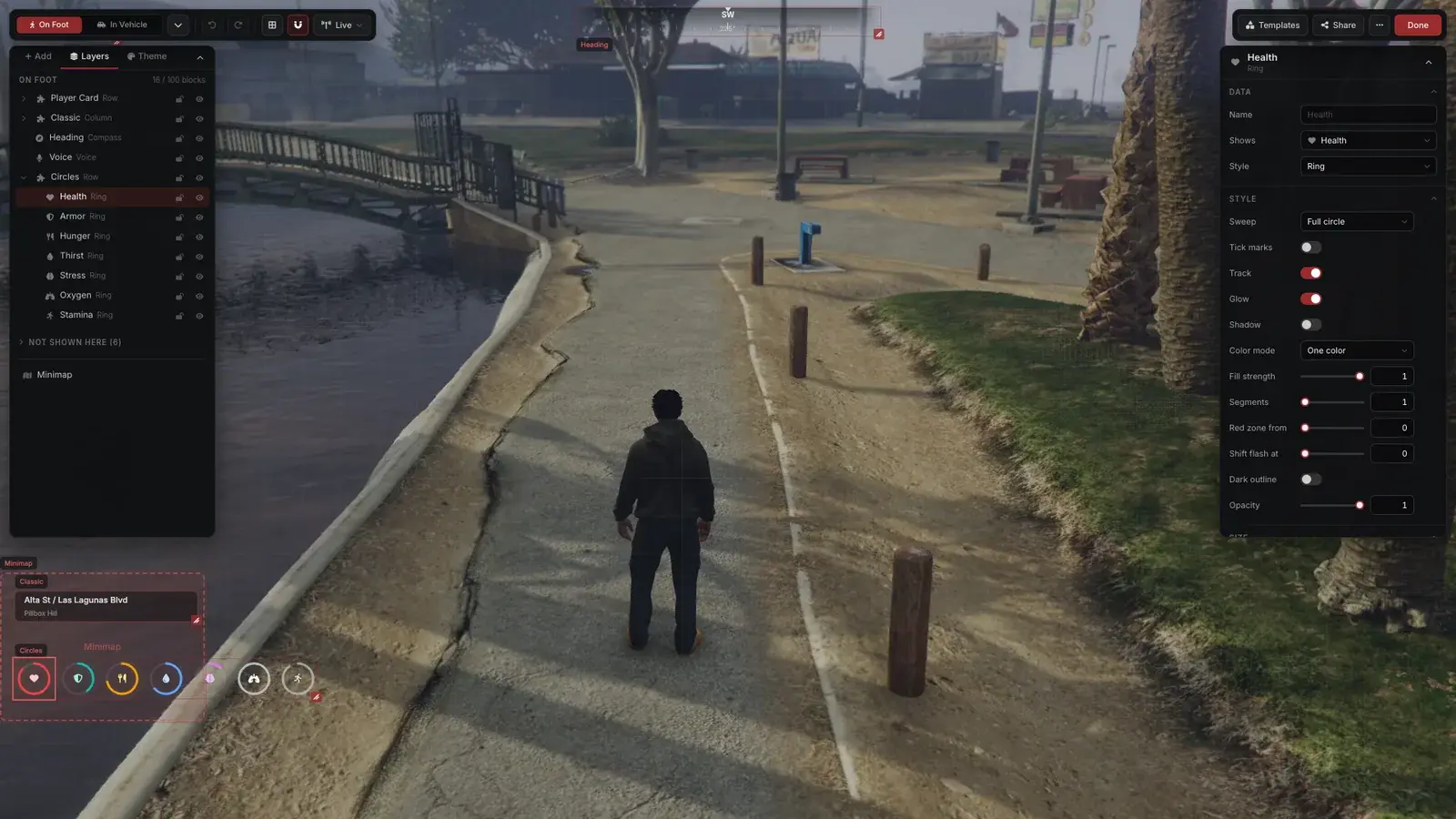
- Snap · Align · Group · Lock
- 50 steps of undo
- Layers and inspector
- Keyboard shortcuts
Pick the data
Health and needs, speed and fuel, cash and bank, the weapon, the street, voice and radio, the clock, or the player's own text.
Pick a style
A ring, a bar, a dial, a plain number and nine more, each with its own options and colours.
Put it anywhere
Drag it and it snaps to the grid and to everything around it. Resize, align, distribute, group, lock and hide, with keyboard shortcuts.
Rules
Hide a gauge when it is full, warn when it is low, pulse when it is critical. Rules start from the server's auto-hide settings.
Groups
Rows, columns, grids, honeycombs, rings inside rings or stacks, with a frame behind them, closing the gap when a block hides.
Sample data
Preview the HUD driving, flying, boating, armed, underwater or on the radio without leaving the editor.
02Data and styles
66 pieces of data.
13 styles.
Pick what to show, then how it looks. Each style has its own options, from tick marks and glow to segments and a red zone.
- Status
- Health, armour, hunger, thirst, stress, oxygen and stamina.
- Vehicles
- Speed, RPM, gear, fuel, engine and body health, throttle, odometer and 14 vehicle lamps.
- Aircraft
- Airspeed, altitude, height above ground, vertical speed, attitude, heading, landing gear, rotors, and stall and pull up warnings.
- Boats
- Boat speed, anchor, depth and wind.
- Player and world
- Cash, bank, server ID and character name; weapon, ammo and clip; street, area and heading; voice and radio; the clock; the player's own text.
 RingHealth
 BarFuel
 ShapeArmour
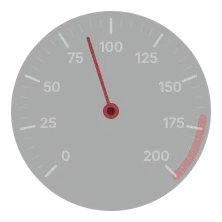 DialSpeed
 ValueCash
 IndicatorSeatbelt
 CompassHeading
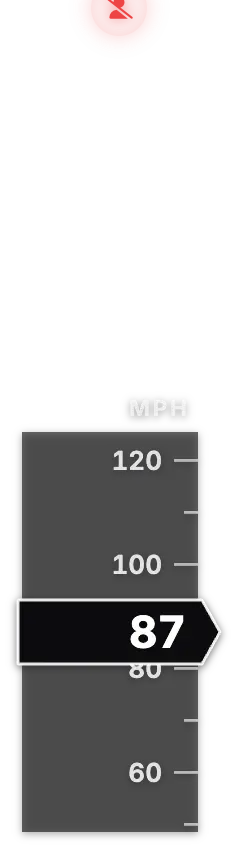 TapeSpeed
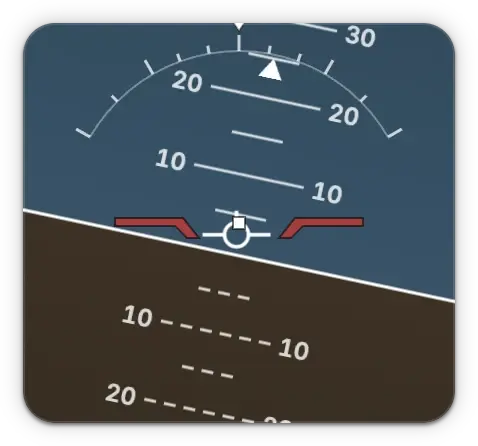 HorizonAttitude
 ScaleRPM
 VoiceVoice range
 ImageWeapon
 DecorBracket
One block in each style, drawn by the HUD with the editor's sample data
03Templates
Start from
42 templates.
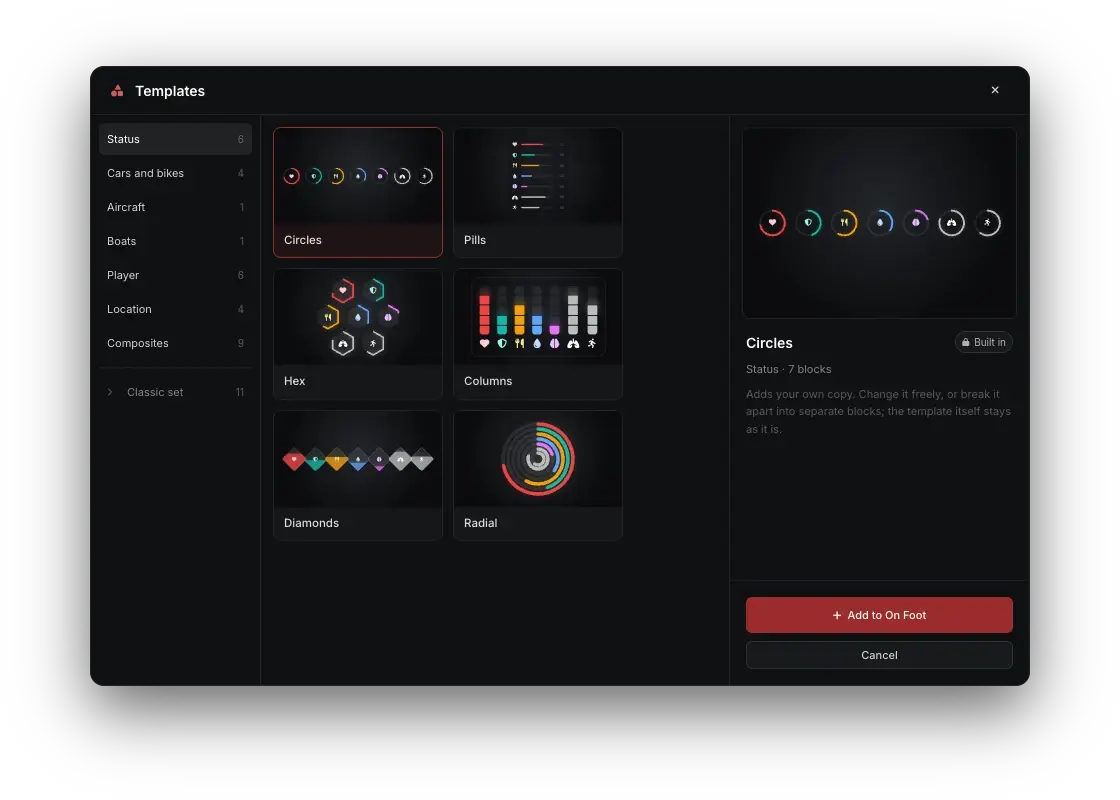
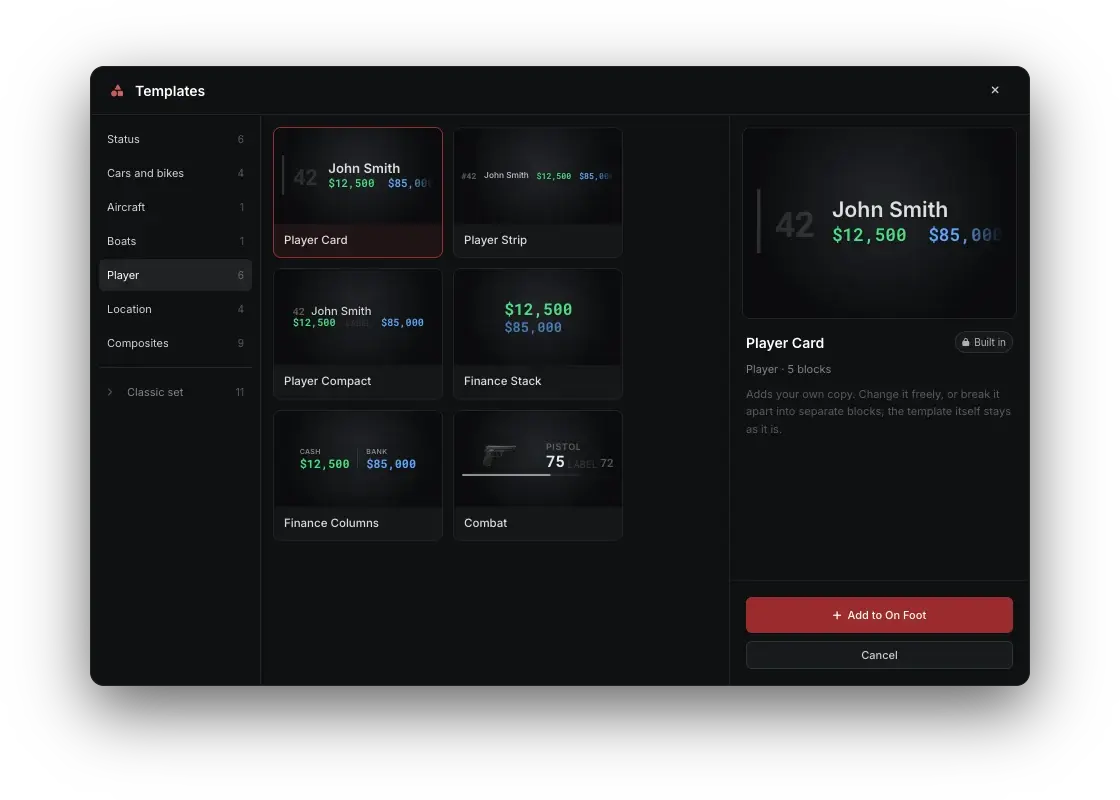
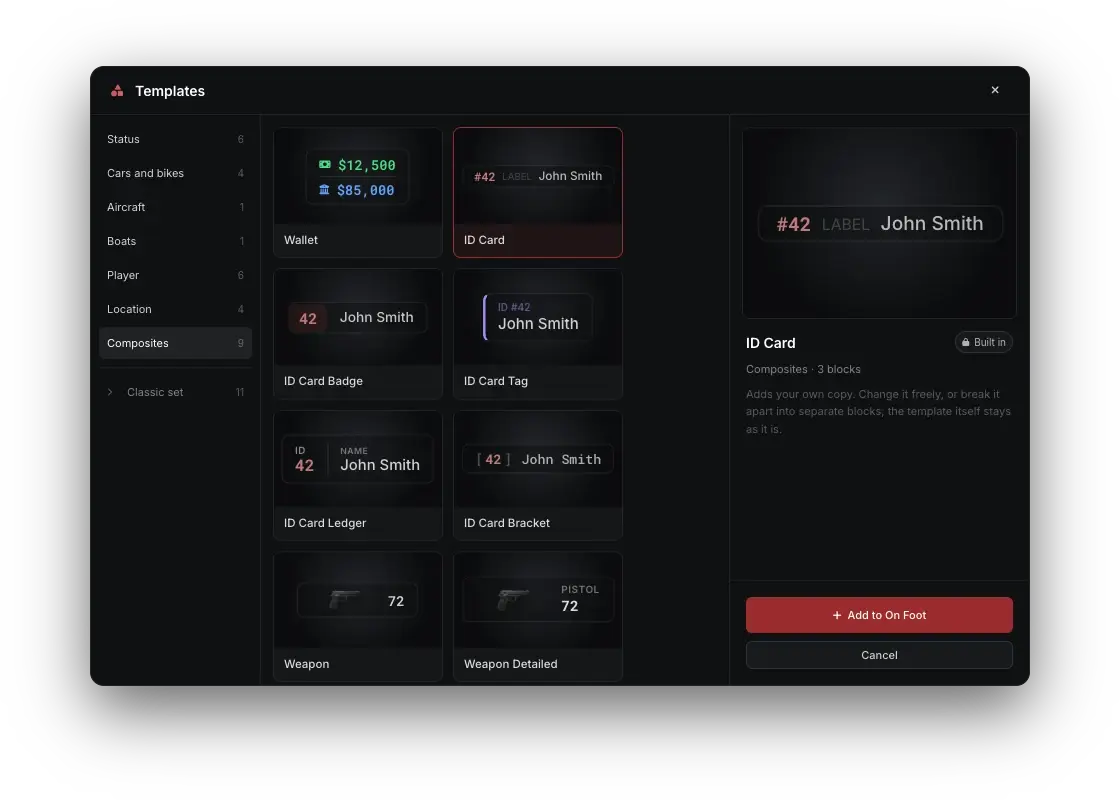
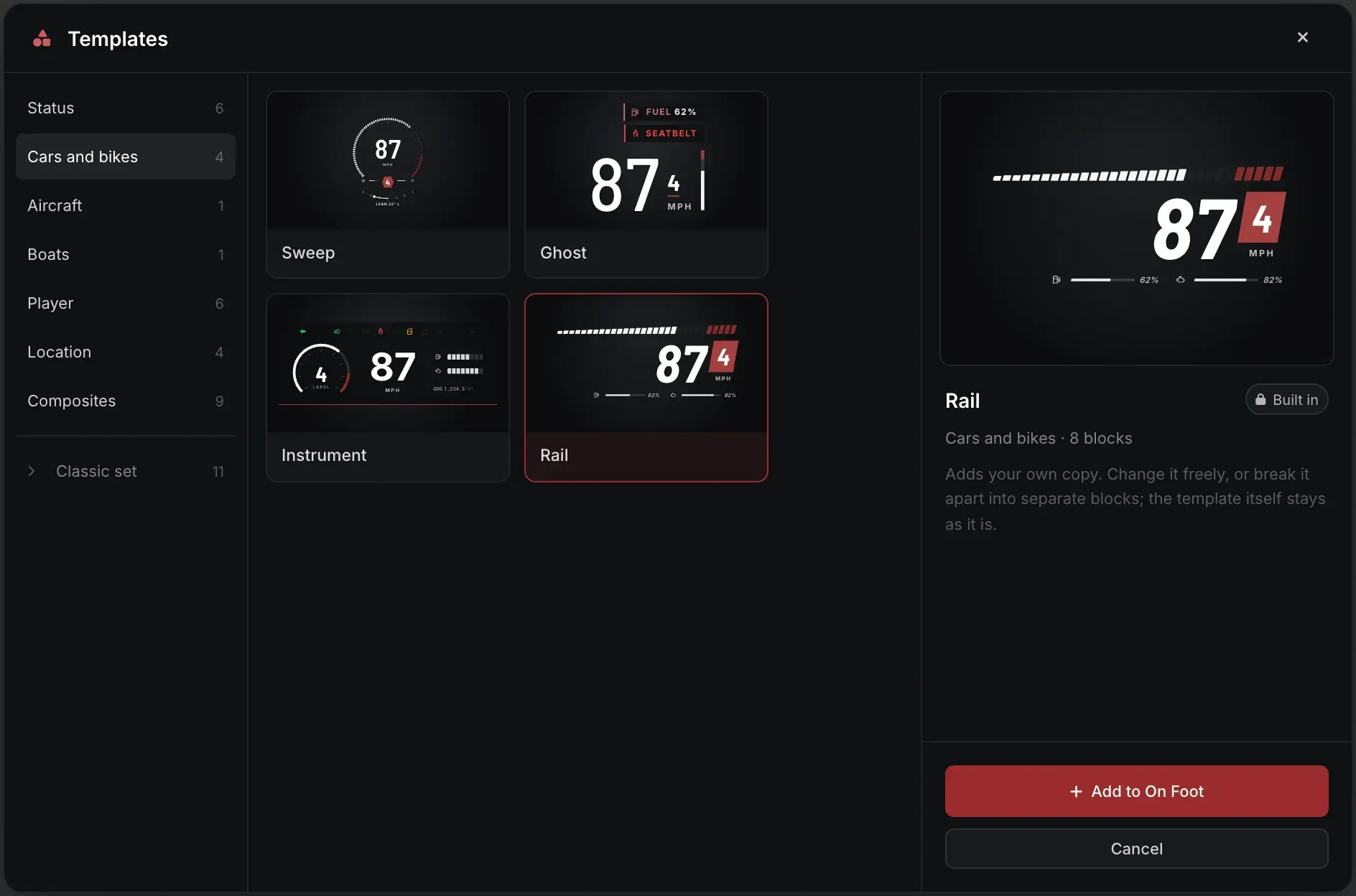
Eight families: status sets, player and finance cards, location boxes, ID cards, weapon panels and speedometers, plus a Classic set of eleven more. Every preview is live, and any template breaks apart so a player can change one piece at a time.
04Layouts
A layout for
every situation.
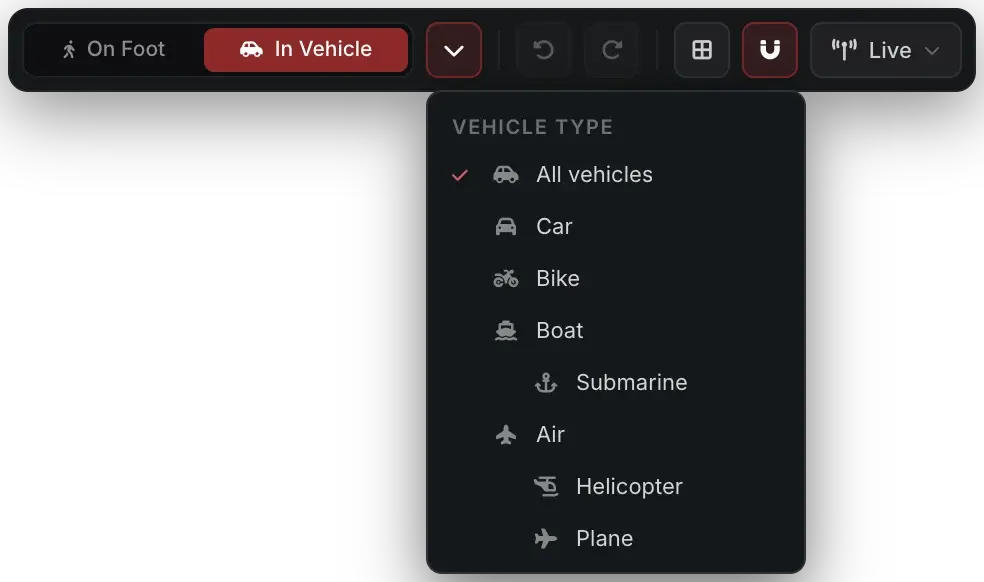
One layout on foot, one in a vehicle, and one for each type of vehicle. Each follows the one above it until the player changes it, so a car, a boat, a helicopter and a plane can each show the instruments that fit them.
- On foot
- In vehicle
- Car
- Bike
- Boat
- Submarine
- Helicopter
- Plane
05Share it or set it
One design
for everyone.
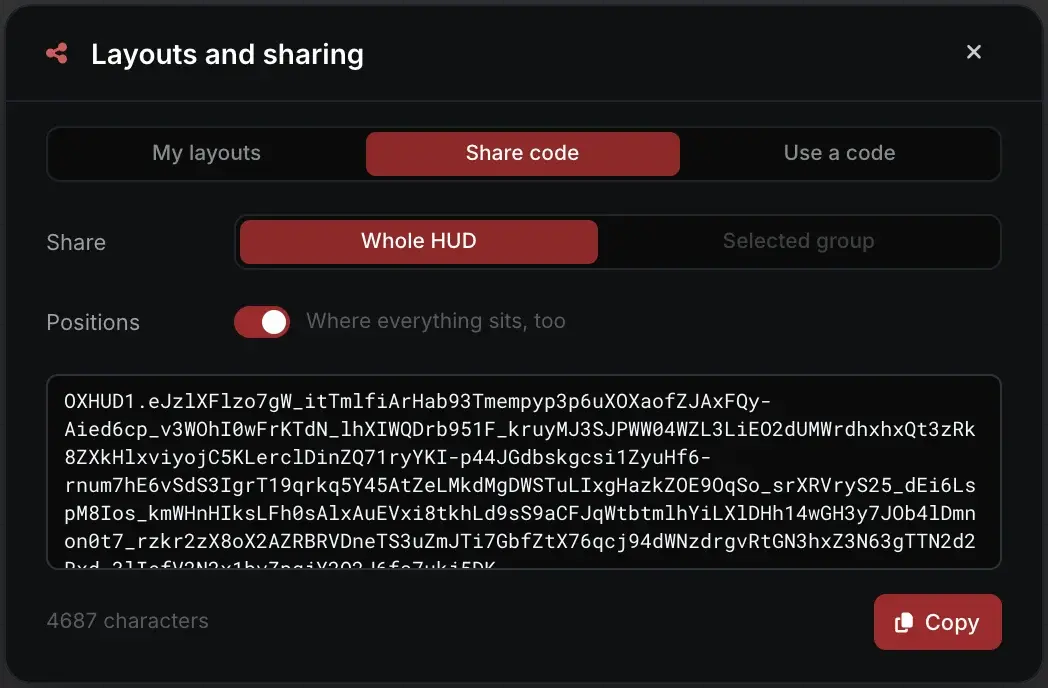
Players trade layouts as codes. Server owners can start every new player on a HUD of their own design, or keep everyone on it.
Saved layouts and share codes
Save the whole HUD or one group, then copy it as a code. Codes are plain text, checked before use and free of web addresses. Nothing is uploaded.
A default HUD
Hand every new player a HUD of your own design: paste its share code into Config.DefaultLayout. Players who never edited their HUD follow it.
An editing lock
Config.LockEditing keeps everyone on the same HUD. Players' own layouts come back when you turn it off.
Your colours
Set your server's accent in Config.Theme, and lock it if you want. Otherwise players pick their own accent and a colour for each piece of data.
Config.Theme = {
    accent = '#9b2c2c',
    lockAccent = false,
}

-- Your design, copied from Share in /hud
Config.DefaultLayout = 'OXHUD1.eJzlXFlzo7gW...'

-- true puts every player on it
Config.LockEditing = false
An example: Config.Theme.accent is empty by default, and the HUD uses Oxide red.
06Every screen
Same HUD.
Any screen.
One layout at three resolutions. Every block keeps its corner and its share of the screen height.
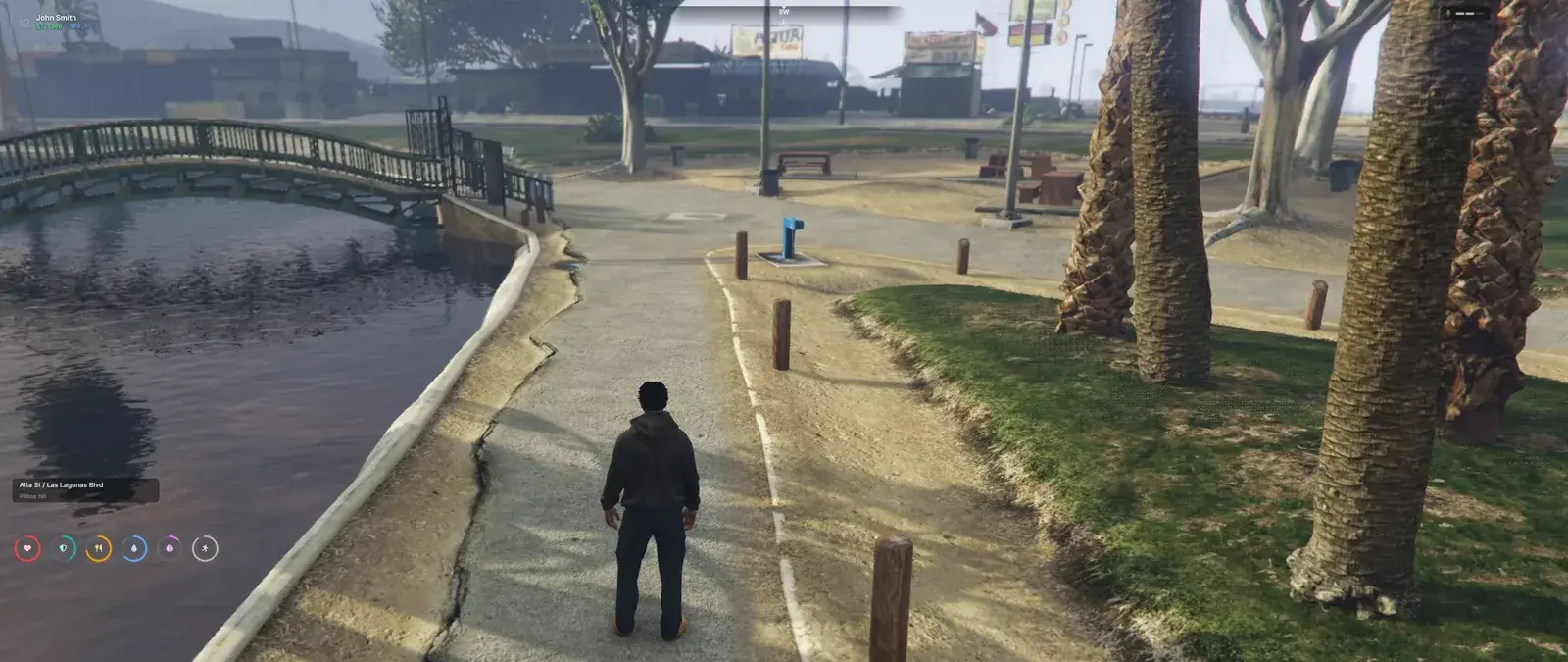
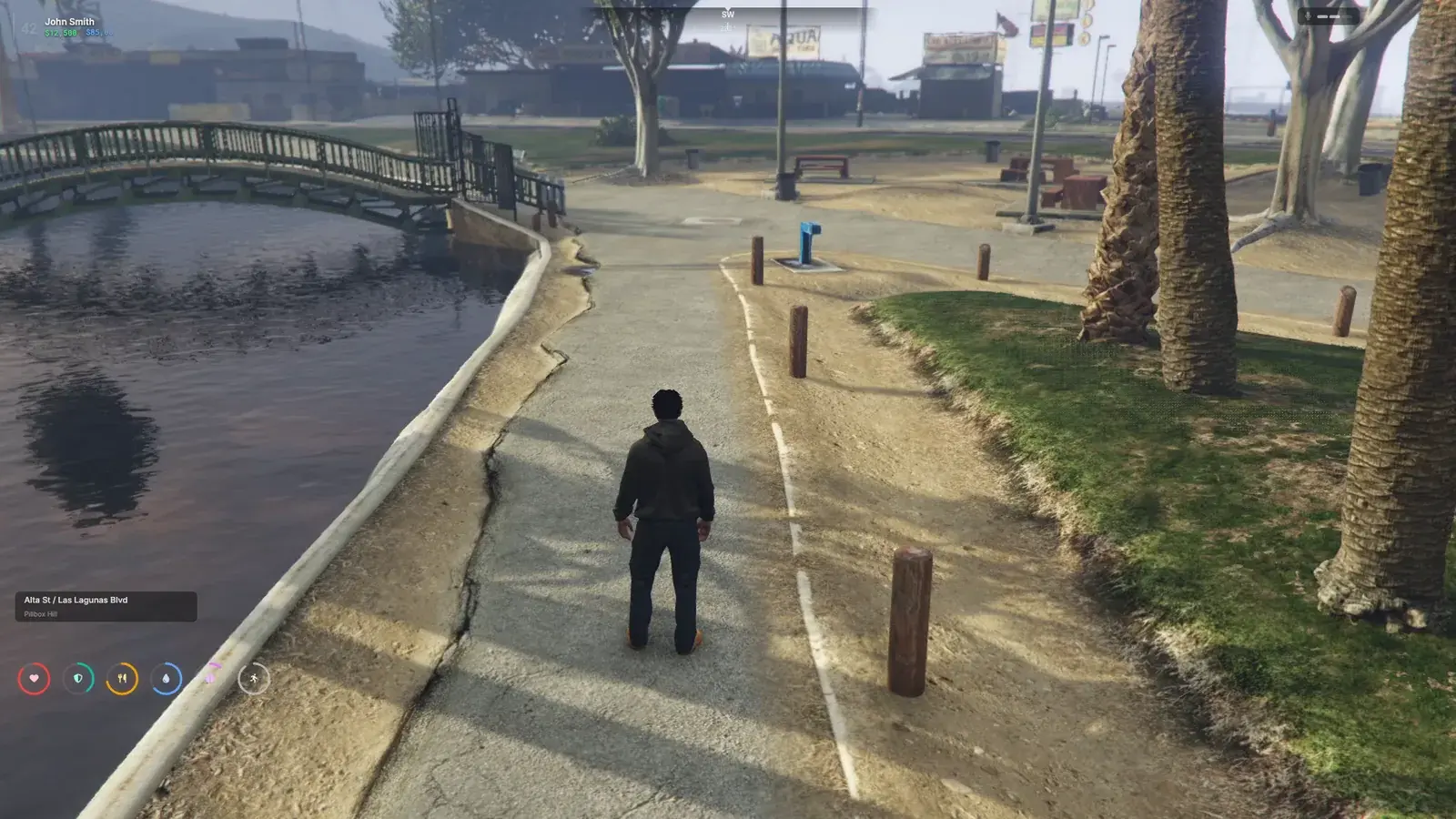
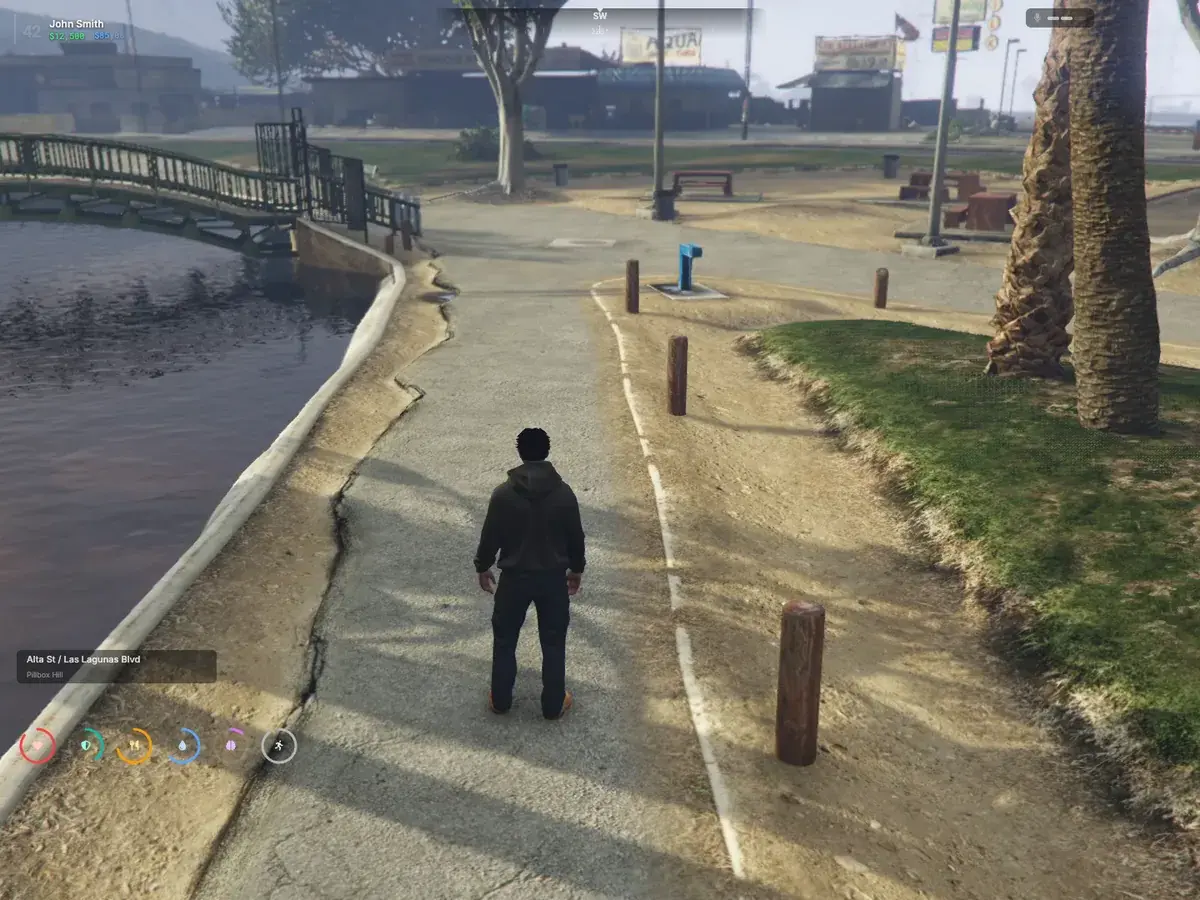
The 1.0.0 interface over an in-game frame
Every resolution
Everything is pinned to an edge or a corner and sized to the screen height, so a HUD looks the same at every resolution, ultrawide included.
Hides by itself
At character select, in the pause menu, while dead or downed, while a menu has the mouse, or when another resource asks. GTA's own street names return while it is hidden.
Works offline
Fonts, icons and weapon pictures ship inside the resource, so nothing loads from the internet. Only the optional server logo can be a web address you set.
07Vehicle clusters
A speedometer
for every vehicle.
Sweep, Ghost, Instrument and Rail for cars and bikes, Helm for boats and submarines, Glass for helicopters and planes. New players get Sweep, Helm and Glass, and can swap in any other template or build their own.
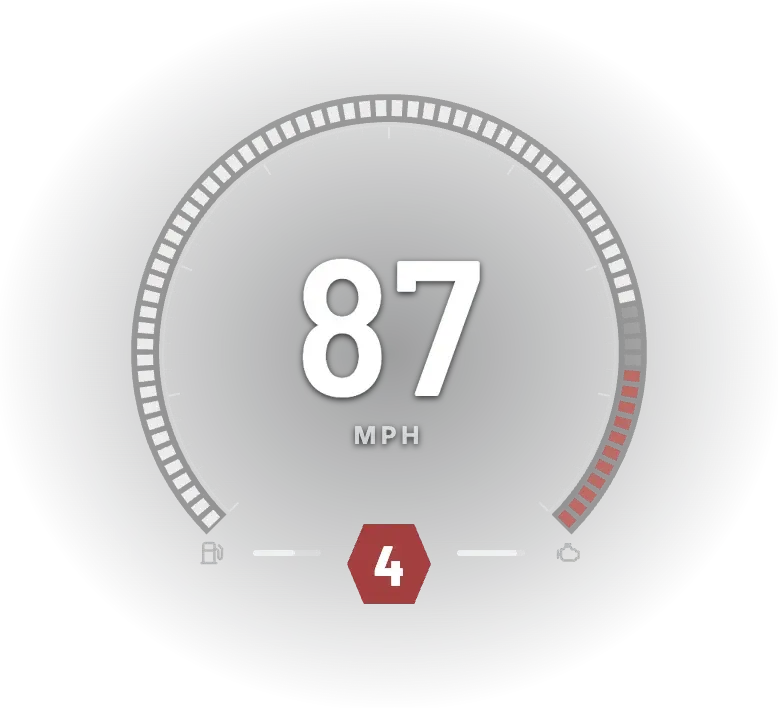
Sweep
DefaultCars and bikes
A round gauge with a shift light that flashes at the redline.
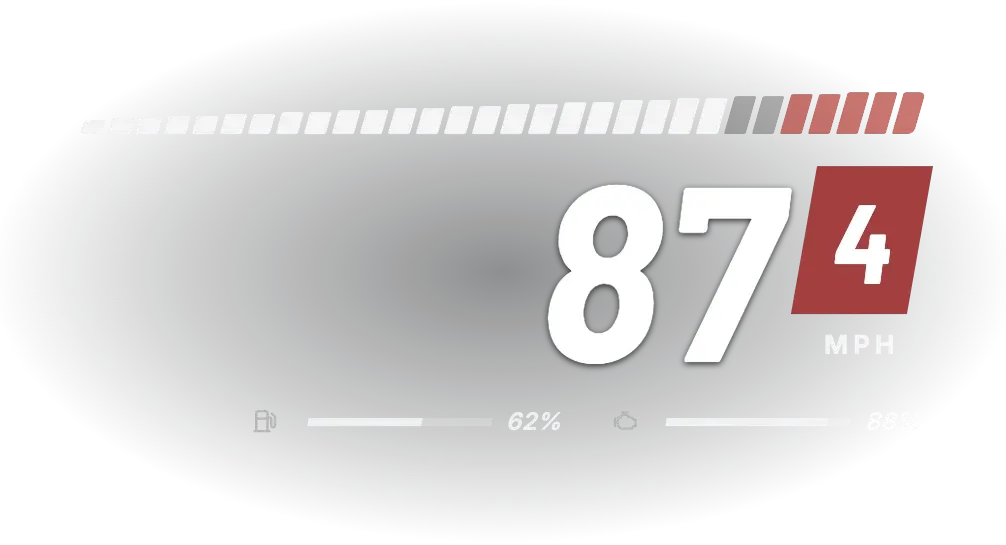
Rail
Cars and bikes
Big digits under a segmented RPM strip that flashes at the redline.
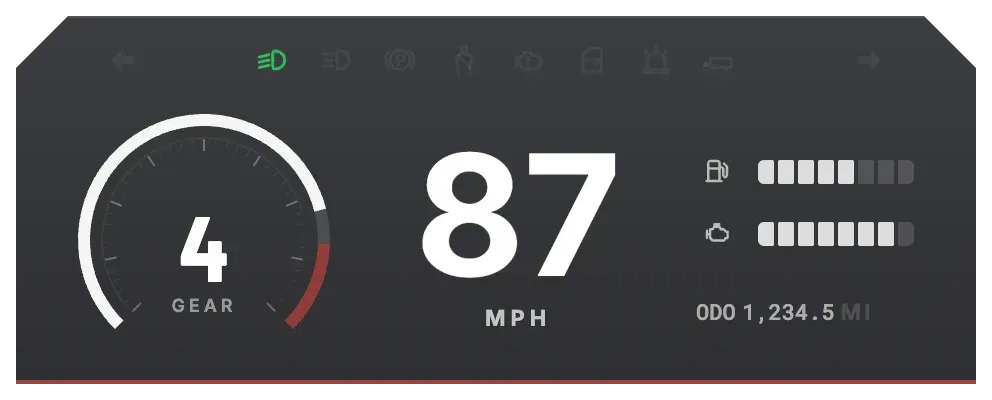
Instrument
Cars and bikes
A full dash: gear gauge, speed, fuel, engine, odometer and a row of vehicle lamps.
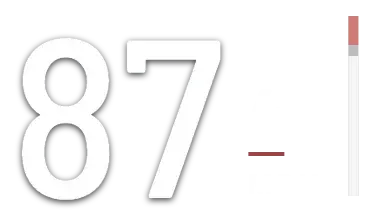
Ghost
Cars and bikes
Speed and gear on their own, with fuel and seatbelt warnings beside them.
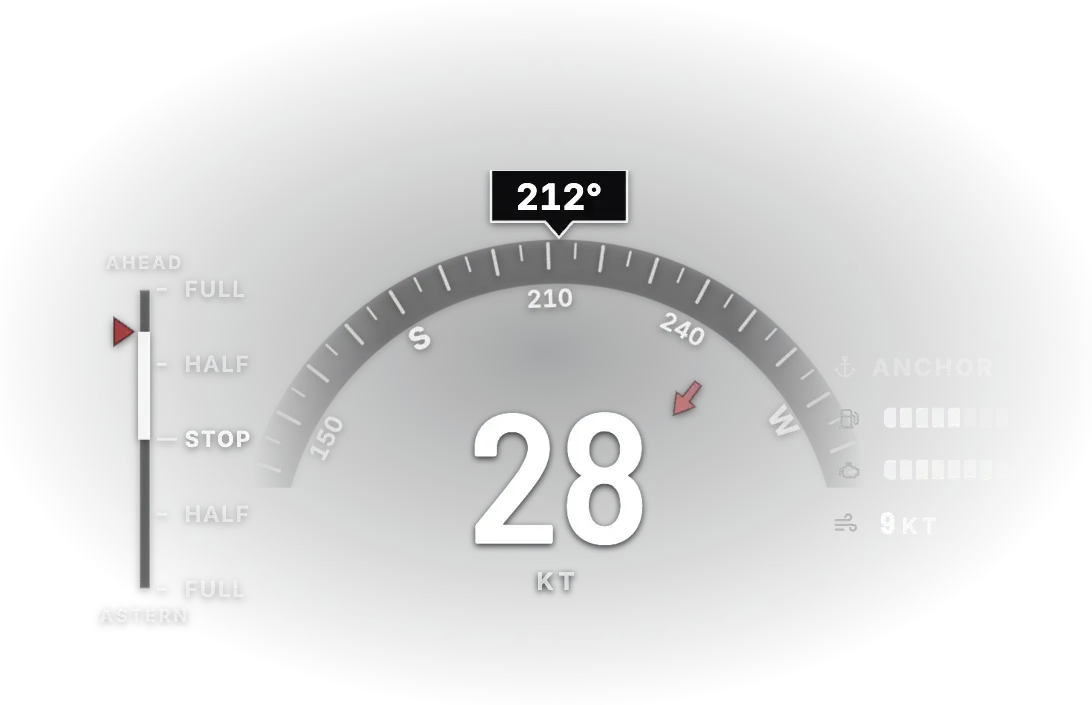
Helm
DefaultBoats and submarines
Heading rose, throttle from full astern to full ahead, speed in knots, anchor and wind.
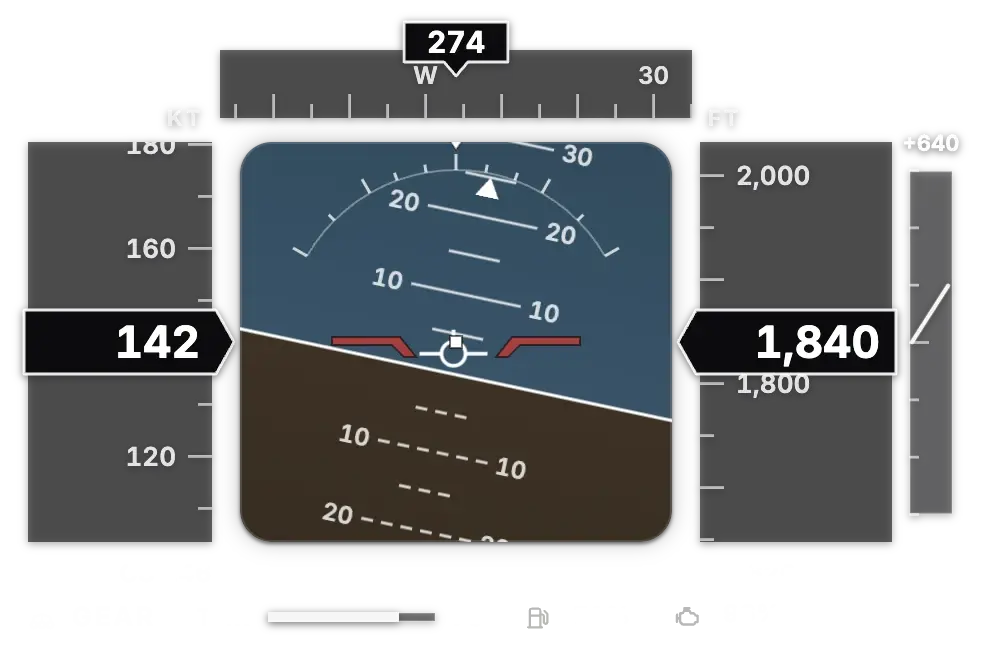
Glass
DefaultHelicopters and planes
An attitude indicator between airspeed and altitude tapes, with heading, throttle and gear.
Drawn by the HUD with its editor's sample data: driving, boating and flying
08Room for everything
Their panels.
Your layout.
Oxide HUD is also where the rest of your server puts its on-screen panels. Every player decides where they go.
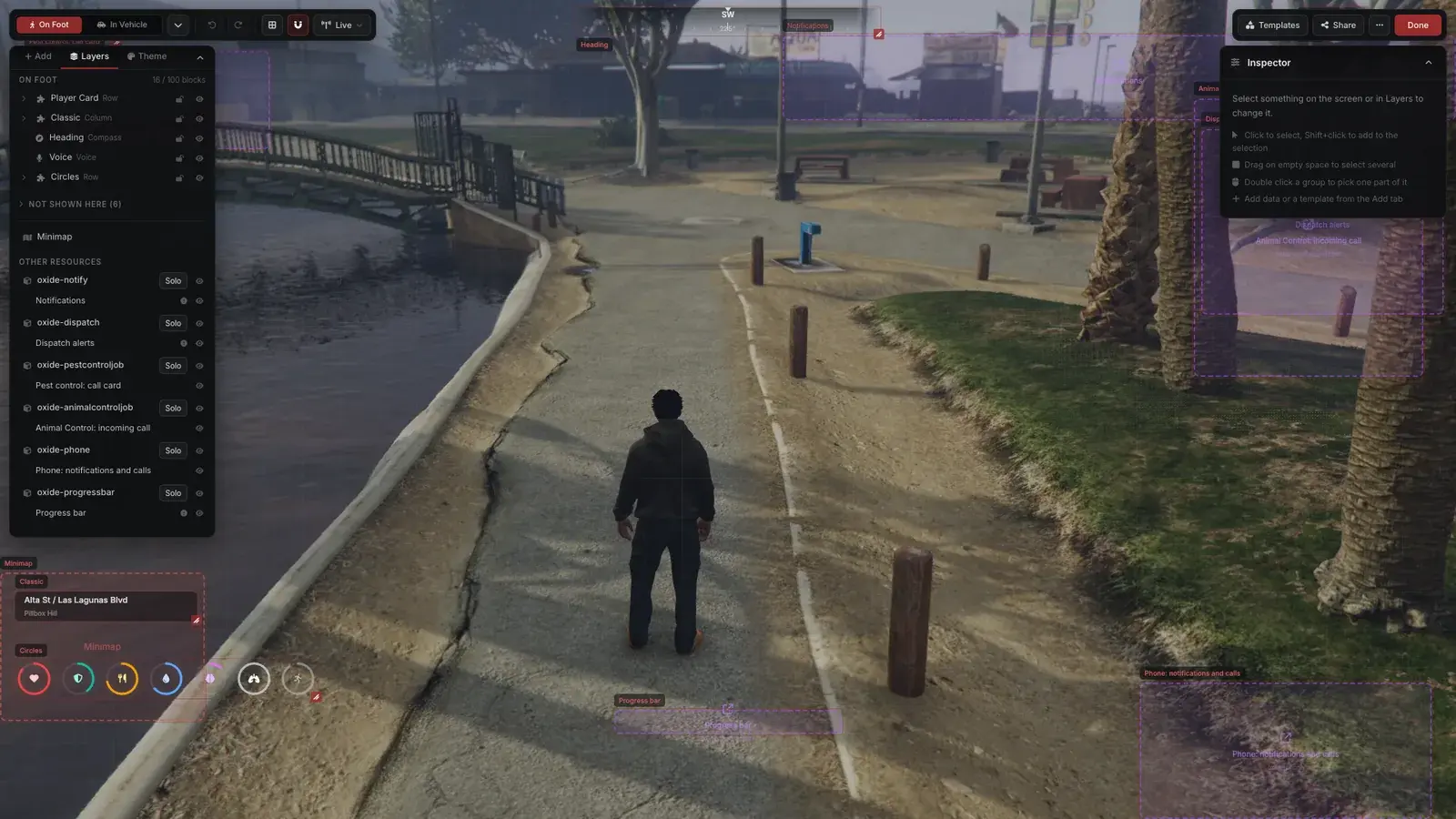
Placed around your HUD
Notifications, progress bars, job timers, stage cards and alerts from resources that support it sit clear of the HUD and the minimap, and hide when it hides.
Moved by every player
In the editor each panel is a placeholder, with its resource's own preview inside. Players move it, solo it, or switch it off in game. Essential panels stay on.
No hard dependency
Resources do not need Oxide HUD to run. Without it, their panels keep their own positions.
For developers
One call through o-link.
olink.hud.AddPanel registers your resource's panel. It shows up in the editor ready to place like everything else, gets the server's accent colour and hides with the HUD. On a server without Oxide HUD it stays where your page draws it.
API reference ↗olink.hud.AddPanel({
id = 'my-job:timer',
label = 'My job: timer',
anchor = 'top-right',
size = { w = 24, h = 8 },
}, function(panel)
SendNUIMessage({ action = 'hudPanel', panel = panel })
end)From the API reference's first example, which is a complete resource.
09Before you install
What it needs.
- 01
Get it here
Check out for free. Tebex asks you to log in with your Cfx.re account.
- 02
Download it
Oxide HUD appears in your assets on the Cfx.re Portal.
Open your Portal assets ↗ - 03
Swap your HUD
Remove qb-hud, qbx_hud or esx_hud, then start oxide-hud after your framework and o-link.
- 04
Restart and build
Restart the whole server once for the minimap files, join, and type /hud.
Requirements
- ox_lib
- o-link 1.12.0 or newer
Optional
- pma-voice or SaltyChat for voice range and radio; FiveM's built-in voice is used without either
- A fuel resource supported by o-link for the fuel gauge; GTA's own fuel level is used without one
- qbx_seatbelt or qb-smallresources for the seatbelt lamp
Frameworks
- QBCore
- Qbox (qbx_core)
- ESX: stock ESX has no stress or downed state, so the stress block stays hidden and the HUD hides only on death
- All framework interaction goes through o-link: nothing framework-specific to configure
Database
None. Each player's HUD, saved layouts, theme and panel positions are stored on their own computer.
Code delivery
Escrow protected through Cfx.re asset escrow. config.lua, locales/*.json and the pre-built interface in web/dist are open.
Frontend
Vue 3, Vite and Tailwind CSS for the HUD and the editor. The UI ships pre-built: no build step. Every text is in locales/en.json.
Is it really free?
Yes. Check out here for free, log in with your Cfx.re account when Tebex asks, and Oxide HUD is listed in your assets on the Cfx.re Portal.
Which frameworks does it run on?
QBCore, Qbox and ESX, through o-link 1.12.0 or newer. The framework is detected for you; there is nothing framework-specific to configure.
Can I keep my current HUD?
Remove your framework's own HUD (qb-hud, qbx_hud or esx_hud) so two HUDs are not drawn on top of each other. Removing it also removes the stress logic those resources carried; Oxide HUD shows stress, it does not run it.
Where are players' HUDs saved?
On each player's own computer. There is no database to set up, and nothing is uploaded: share codes are plain text that players copy and paste.
Can every player get the same HUD?
Yes. Design it with /hud, copy its share code into Config.DefaultLayout, and new players start on it. Set Config.LockEditing to true to keep everyone on it.
Do my other resources need Oxide HUD?
No. A resource that supports it places its panels around the HUD when it runs, and keeps its own positions when it does not. Developers use olink.hud.AddPanel; the API reference has a complete example.
Make it yours.
Free, for QBCore, Qbox and ESX. Every player builds their own HUD, and the rest of your server finds room around it.

Oxide HUD
Make it yours
Every player builds their own.
Oxide Studios