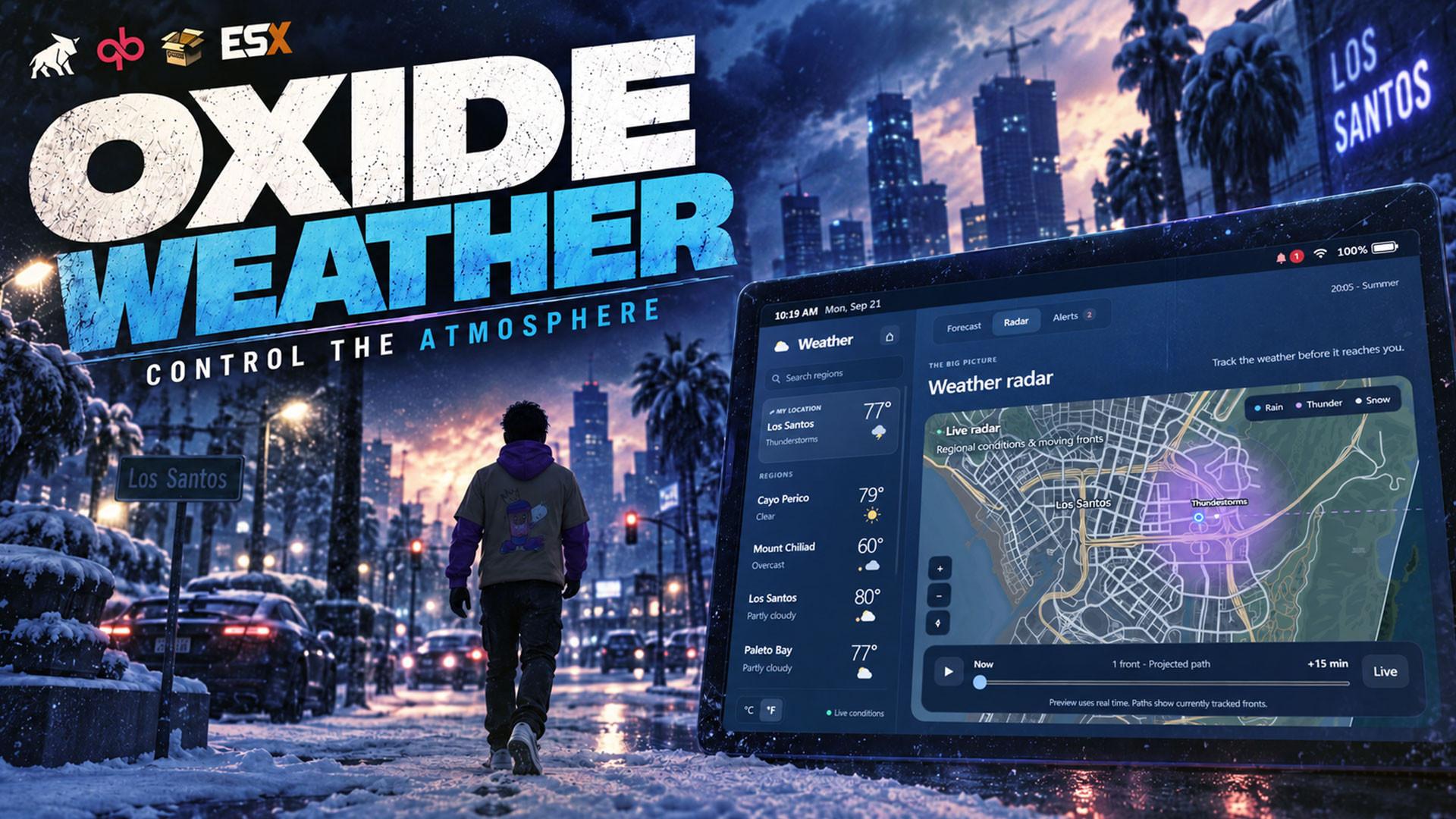
 Oxide Weather
OXIDE
WEATHER.
One clock. One sky.
Every player.
Server-authoritative time and weather with real regions, seasons, moving storms, a public forecast and a live admin panel you drive from in game.
15
Weather types
6
Starting regions
5
Climate profiles
8
Storm fronts at once
One sky.
Decided by the server.
Pick a condition and watch it in game. Rain, thunder and snow, all recorded in game.
Same storm. Same moment.
The server decides the weather and the time, and every player's game is told what to show. Nothing is decided on a player's computer, so everyone sees the same sky at the same moment.
One clock · One sky · Every player
Snow in Paleto.
Clear in the city.
The world is split into weather regions, each assigned a climate that weights the fifteen weather types differently. Where two regions meet, the weather blends across a soft edge instead of snapping.
| Region | Climate |
|---|---|
| Los SantosThe city | Temperate |
| Sandy ShoresSunnier and drier | Dry inland |
| Paleto BayCloudier and wetter | Cool coast |
| Mount ChiliadCold, foggy, snow-prone | Alpine |
| Fort ZancudoCloudier and wetter | Cool coast |
| Cayo PericoThe island | Temperate |
- Boundaries blend over a 200 m soft edge; crossing one eases the visuals over about 6 seconds.
- Every region keeps its own weather, forecast queue, wind and change interval.
- Draw up to 32 regions of your own with /weather zones. Changes apply live.
A forecast players
can actually check.
With Oxide Tablet installed, players get a Weather app with three pages, a home-screen widget in three sizes, and alert notifications.
What's coming, in game time.
Current conditions where a player is standing, temperature, wind, and the upcoming changes with in-game times. The next changes are decided in advance, so the forecast is real.
Next 4 changes published · °F or °C
Recorded in game. The Weather app, widget and alert notifications need Oxide Tablet. Everything else works without it.
Storms that travel.
A front is a storm cell that crosses the map on a heading and ignores region boundaries. The wind picks up before the cloud arrives, and two players on its path are hit at different times.
- Left alone, a new front spawns every 30 to 60 real minutes off the west coast and heads east.
- Blackouts come in three kinds: global, regional, and scheduled with a delay and a duration.
- Up to 64 outages can be scheduled at once, up to 24 hours long, up to 7 days ahead.
Four seasons.
A real temperature.
Seasons advance with the in-game calendar, follow the real-world month, or stay where you put them. Temperature is a real number for any point on the map, worked out from season, time of day, altitude, climate and the current weather.
- Spring
- 16 °C
- More rain and cloud, less bright sun
- Summer
- 28 °C
- Much more clear and bright sun
- Autumn
- 13 °C
- More overcast, rain and fog
- Winter
- -2 °C
- More overcast and snow. Snow allowed
- 6.5 °C cooler per 1000 metres, so Mount Chiliad stays colder than the beach.
- Christmas and Halloween presets switch the whole world in one command, then put everything back.
- Cayo Perico is excluded from snow by default and keeps a tropical 26 °C baseline.
Your weather desk.
Driven from in game.
/weather opens a full-screen panel with a map of your regions and six tabs: Conditions, Radar, Forecast, Power, Scenes and Fronts.
Click a region. Change its sky.
Click a region on the map to control it, or stay on Global to control everything at once. Set the weather, the time, the season and the holiday presets from one window.
/weather opens the panel · Refreshes every 2 seconds
Recorded in game. Nineteen /weather subcommands cover the essentials without the panel.
Freeze the world
for the shot.
A scene lock holds weather, time, wind, blackout state and snow cover for a photo, a cutscene or a staged event, for everyone or for one player.
- Lasts 1 to 7200 seconds and releases itself on expiry, so a forgotten lock cannot strand your server.
- Released automatically when the player disconnects or the requesting resource stops.
- Time inside the hold does not count towards weather timers, so nothing snaps forward on release.
Every setting.
No file edits.
/weather settings edits nearly every setting in game, backed by the database, with validation on every field and a marked set of restart-only values.
Weather your scripts
can read.
The o-link weather namespace on both sides, 62 server and 28 client exports, replicated state for every live value, and lifecycle events for time, weather, season, blackout and alert changes.
- Shelter queries answer whether a spot is under cover, and track how wet each player is.
- A 500 m road grid tracks wetness and ice per cell for vehicle resources to read.
- Every read is open. Writes need a trusted-resource allowlist entry, plus the admin check when a player is involved.
local olink = exports['o-link']:olink()

if olink.weather.GetResourceName() == 'oxide-weather' then
  local conditions = olink.weather.GetConditionsAt(coords)
end
Conditions carry the dominant weather, rain and snow share, wind, temperature, snow level, season and blackout state.
Ready for your server.
Included
- Server-synced clock and weather
- Regions, climates and the zone editor
- Seasons, temperature and snow
- Storm fronts, lightning and blackouts
- Forecast, radar and severe weather alerts
- Admin panel and live settings editor
- 62 server and 28 client exports
Frameworks
- QBCore
- QBX
- ESX Legacy
- Framework abstraction through o-link
Requirements
- o-link 1.8.0 or newer
- ox_lib
- oxmysql
- Optional: Oxide Tablet for the Weather app
- Optional: Oxide Chat for command help
Do I need Oxide Tablet?
No. The tablet hosts the Weather app, the home-screen widget and alert notifications. Everything else works without it.
Will it clash with my current weather script?
Only one resource may control the sky and the clock. Turn off qb-weathersync, Renewed-Weathersync, cd_easytime, vSync or any other weather and time script before you start Oxide Weather. The framework guides walk through it.
Does the world survive a restart?
Yes. The clock, weather, forecast queues, regions, season, snow cover, active storms, blackouts and road conditions are saved to your database. A checkpoint is written every 30 seconds and after any change.
Are there items or jobs to set up?
No. Oxide Weather does not use jobs, items, money or inventories, and it creates its own database tables on the first start.
CONTROL THE
ATMOSPHERE.
Give your server a sky worth talking about, and the forecast to see it coming.

Oxide Weather
Control the atmosphere
One clock. One sky. Every player.
Oxide Studios