 Oxide Pest Control
Oxide Pest Control
FiveM pest control gig job / Oxide Studios
Oxide
Pest
Control
Read the signs.
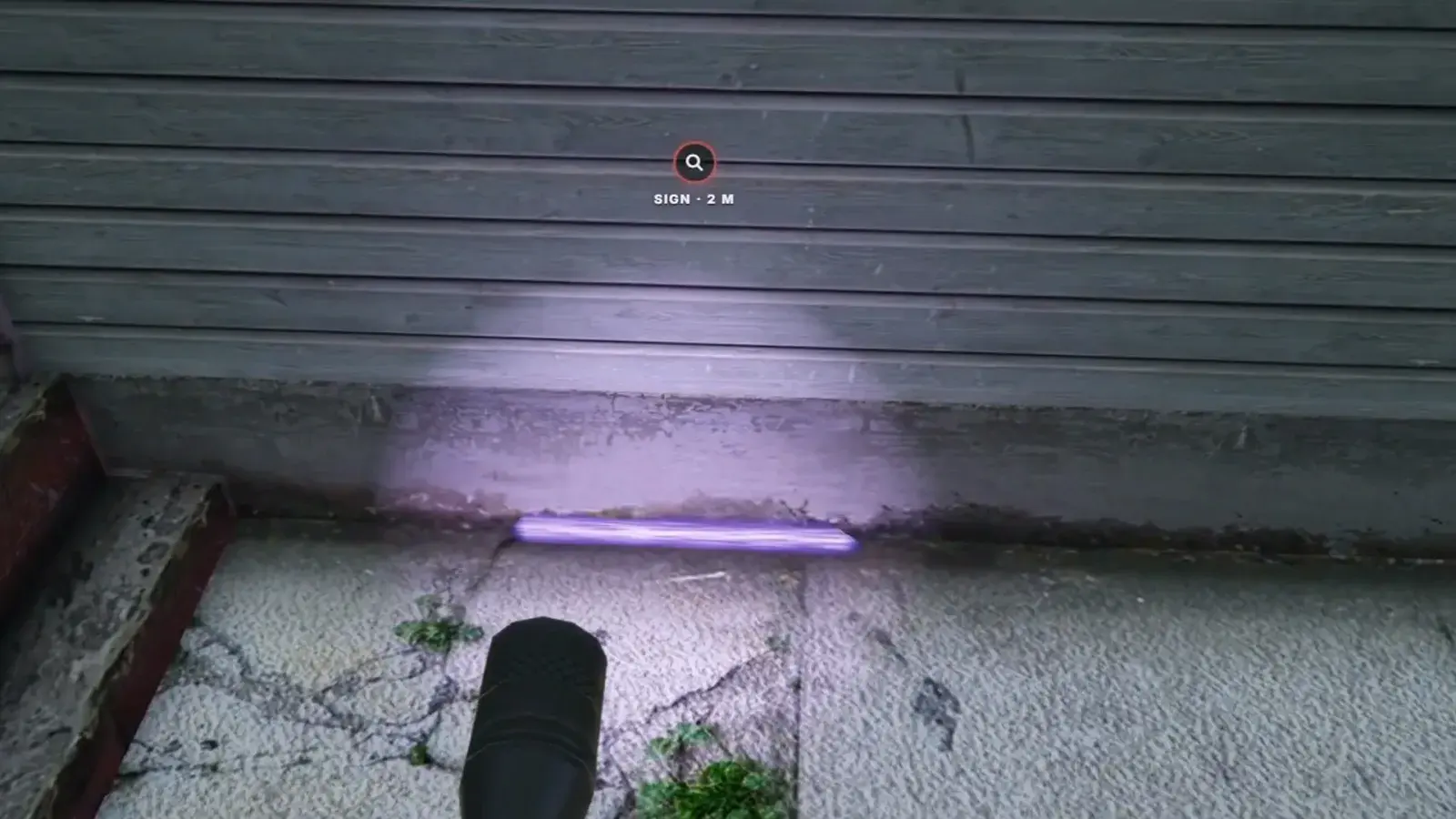
Every cockroach and rat call starts as a mystery. Walk the property with a UV torch, log the signs that glow in its beam, and the findings name the pest and mark its nest.
No job or items to set up · Delivered to your Cfx.re Portal
The torch, the signs, the findings and the sprayer. Shots from the launch film.
3
Pests
6
Kinds of sign
12
Properties
5
Ranks
The film
See it in motion.
The launch film: one call, from the depot to the pay summary, recorded in game.
01The call
Which
pest?
Dispatch sends a property, an address and 30 seconds to take the call. On a cockroach or rat call, the card only says “Pest complaint”: finding out which pest it is, and where it lives, is the job.
- Houses · from level 1
- Restaurants · from level 2
- Warehouses · from level 3
Dispatch / incoming call
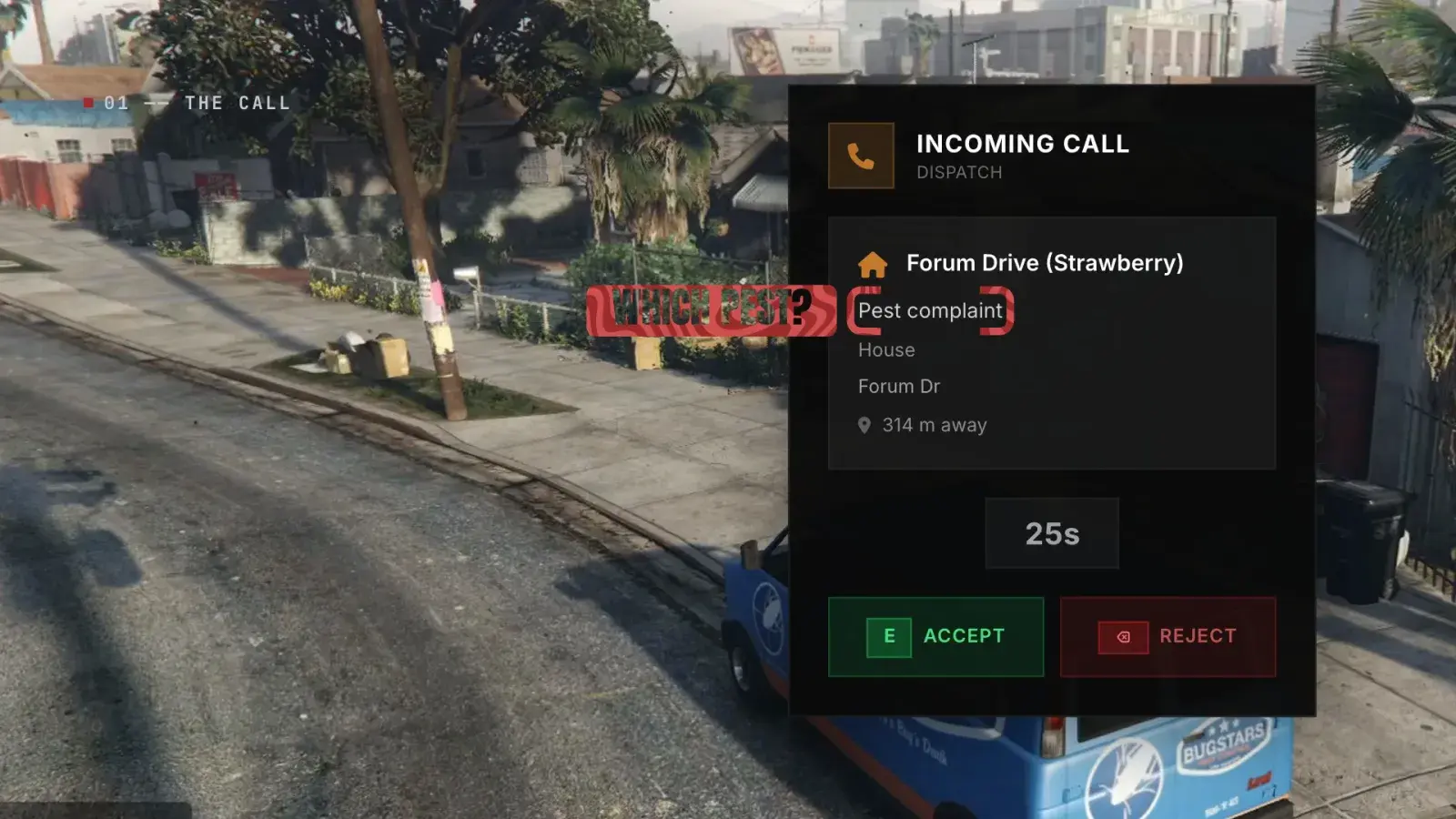
Calls on their own
Dispatch sends a call every 15 to 45 seconds, with a weighted mix of pests. Accept with E or reject with Backspace; 3 missed or rejected calls end the shift.
Twelve properties
4 houses, 4 restaurants and 4 warehouses traced from the game's own buildings. They rotate, so the same one doesn't come back until the rest have had a turn.
Wasps say so
Wasp calls are the exception: the card names them, so they skip the inspection and go straight to the ladder.
On the clock
Hold H for a floating marker over the property on the way. Report before the call timer runs out for the speed bonus.
02UV inspection
Follow the
glow.
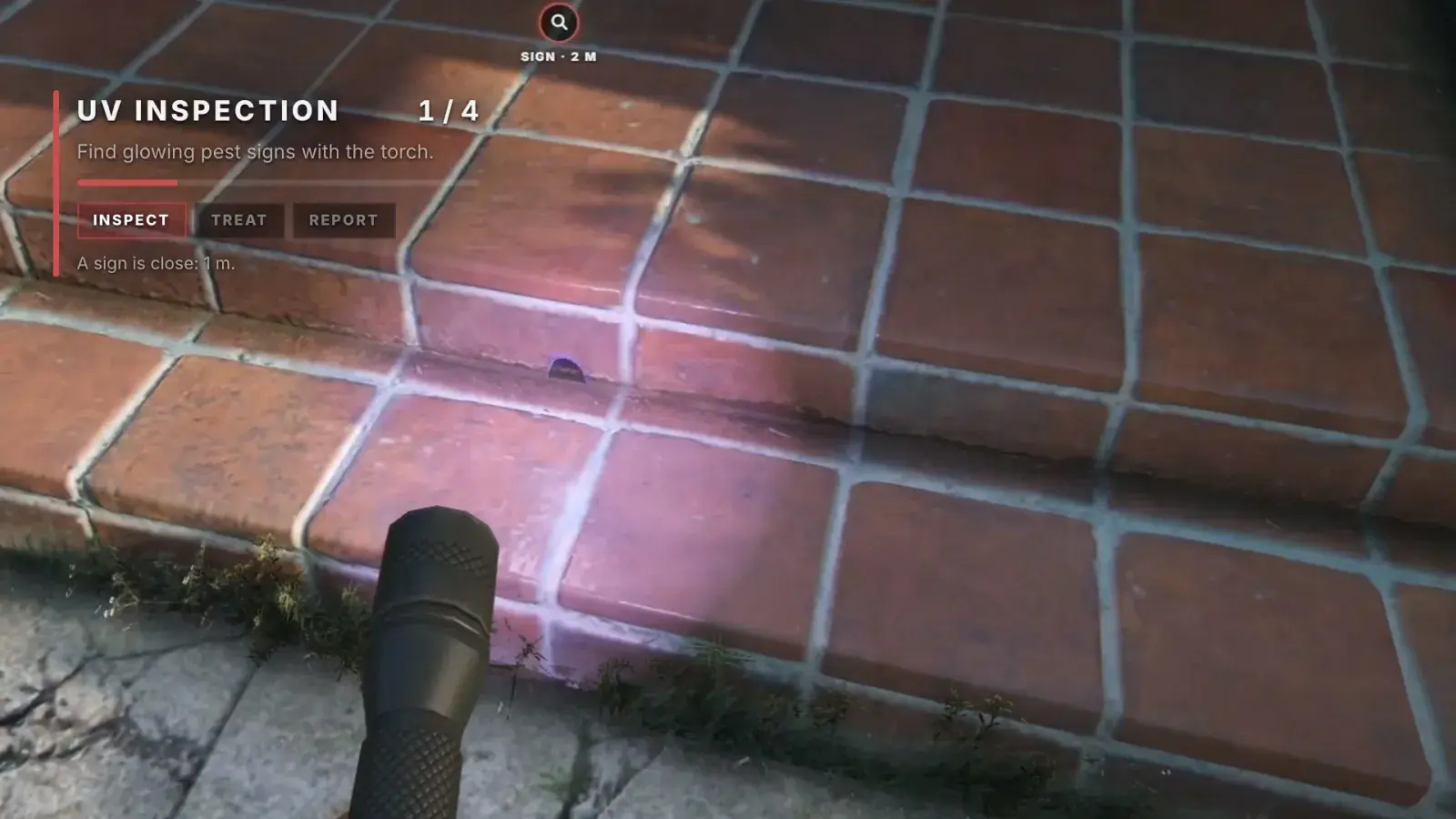
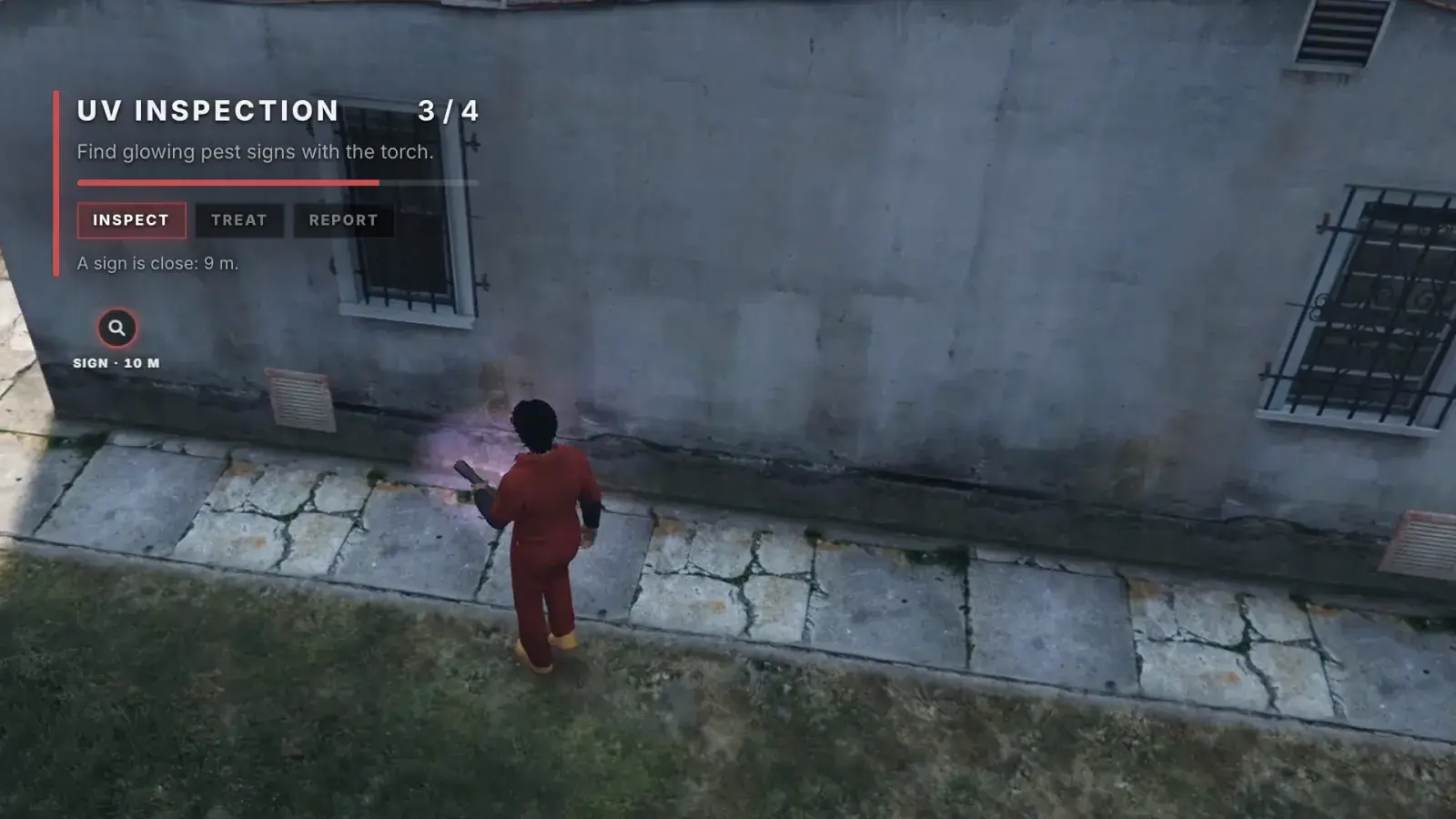
The signs are real models on the ground and low on the walls. In the torch's violet beam each one glows, and walls block the beam, so you walk the whole property.
UV inspection / 1 of 4
UV inspection / 3 of 4
Reading the signs
| Sign | Where it shows | Points to |
|---|---|---|
| Rodent droppings | On the ground by the wall | Rats |
| Roach droppings | Tiny specks on the ground by the wall | Cockroaches |
| Gnaw hole | On the wall | Rats |
| Grease mark | A smear on the wall | Either pest |
| Burrow | Dug earth round a dark hole, at the foot of the wall | The rats' nest |
| Harbourage | A crack at the foot of the wall, with frass and egg cases | The cockroaches' nest |
A real torch
Held in the left hand, the way the game's security guards hold theirs. The violet beam points where the camera looks.
Log the signs
Hold the beam on a sign up close until it beeps. Signs bunch up round the nest, with a few strays to mislead. Log 4 at a house, 5 at a restaurant or 6 at a warehouse.
Help that shrinks
Lower levels get pings to the nearest unlogged sign. From level 3 the pest is named on the first sign, and at level 5 the pings stop.
Every sign, for a bonus
At level 5, finding every sign on a call, nest included, pays a bonus on each technician's own level. The torch stays on offer to finish the search.
03The findings
Case
closed.
Log enough signs and the findings card names the pest, explains each sign, marks the nest and gives the treatment.
The findings / case closed
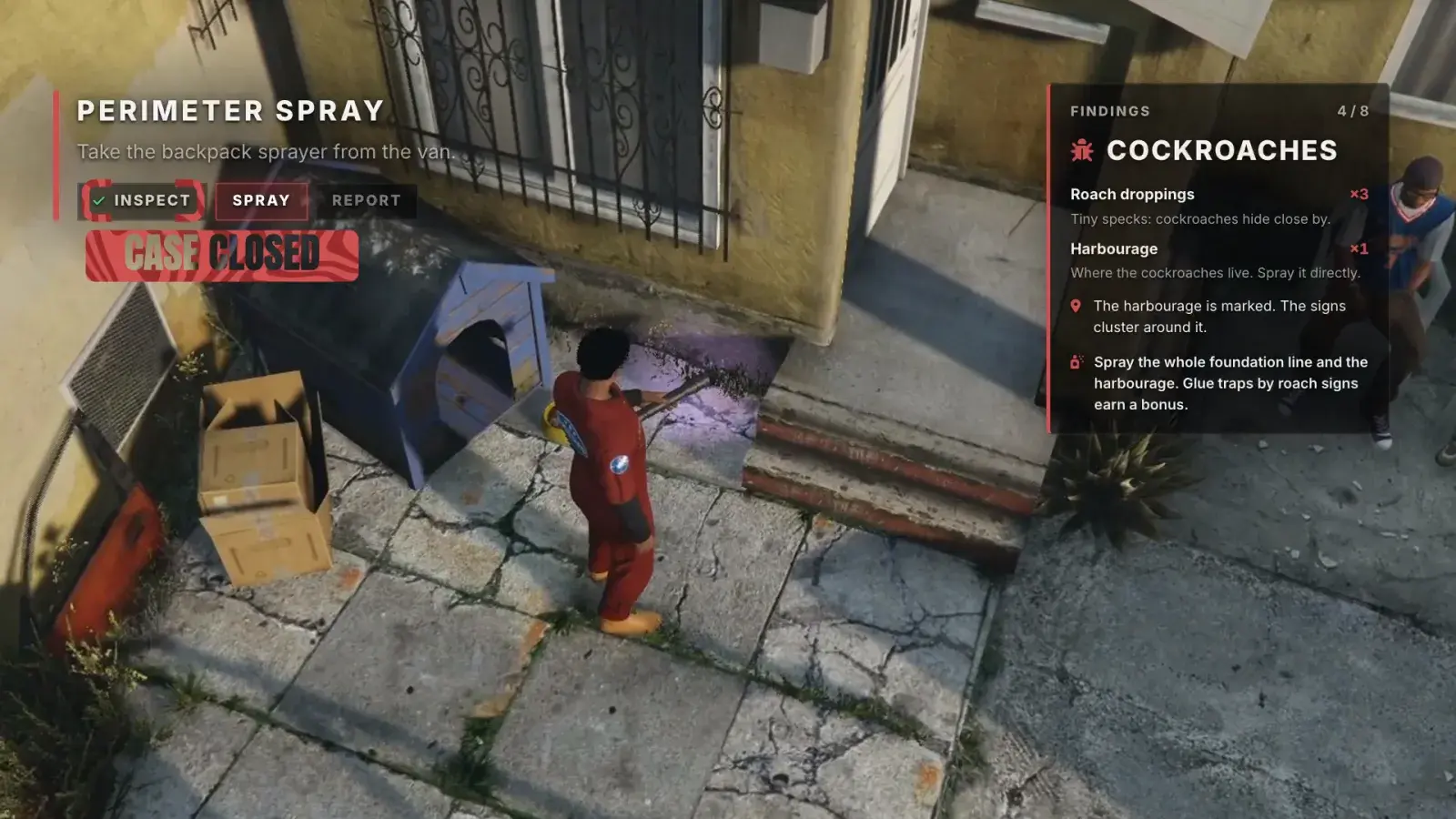
Cockroaches or rats
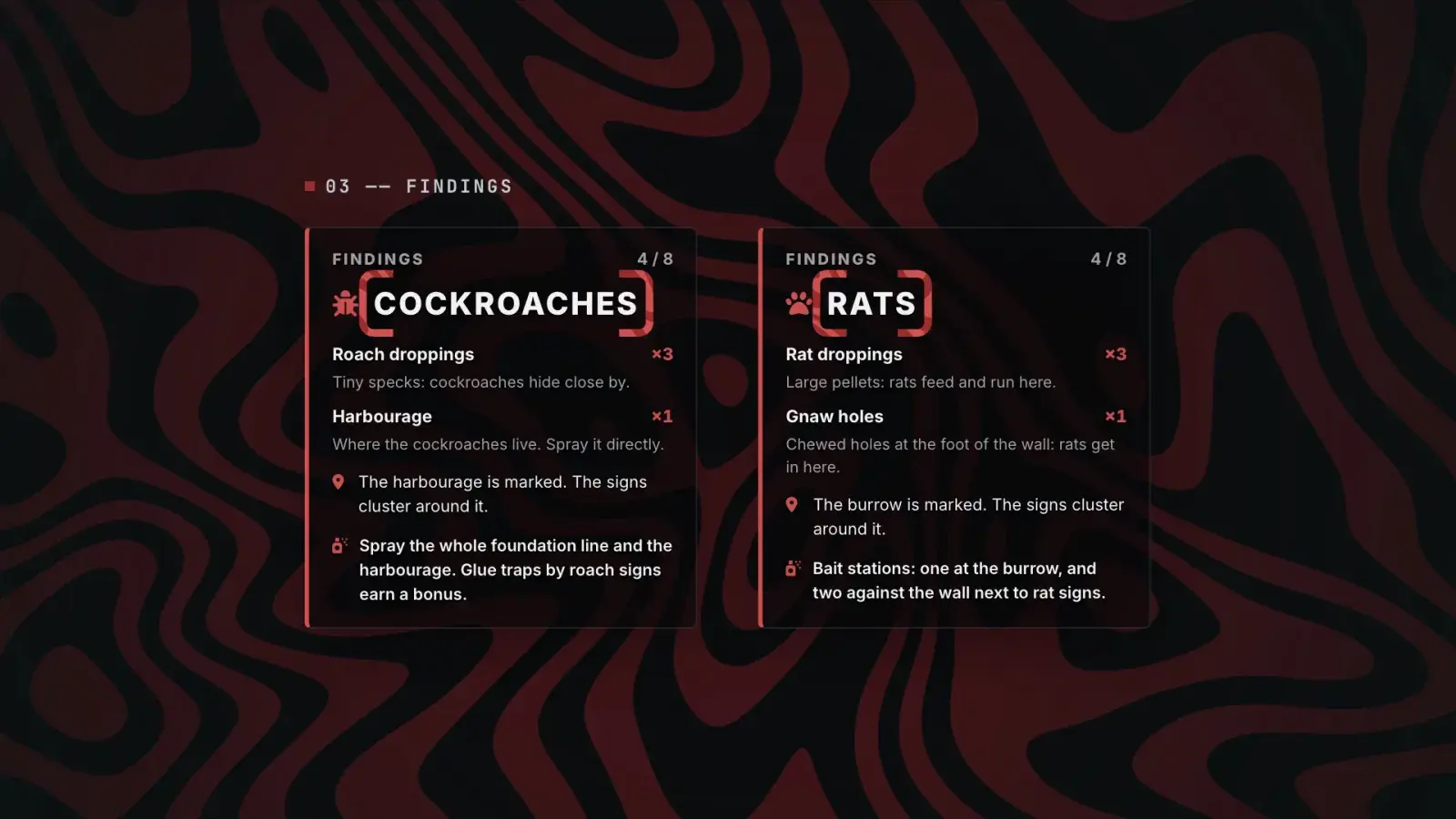
The findings card
The pest, the signs found against the number the inspection needed, each kind of sign and what it means, where the nest is, and the treatment.
The nest, marked
The harbourage or the burrow gets a marker, even if its own sign was never logged.
Guided every step
A stage card shows the next step, a count and the call's steps, and a marker with its distance rides over the next spot.
The van / the right gear
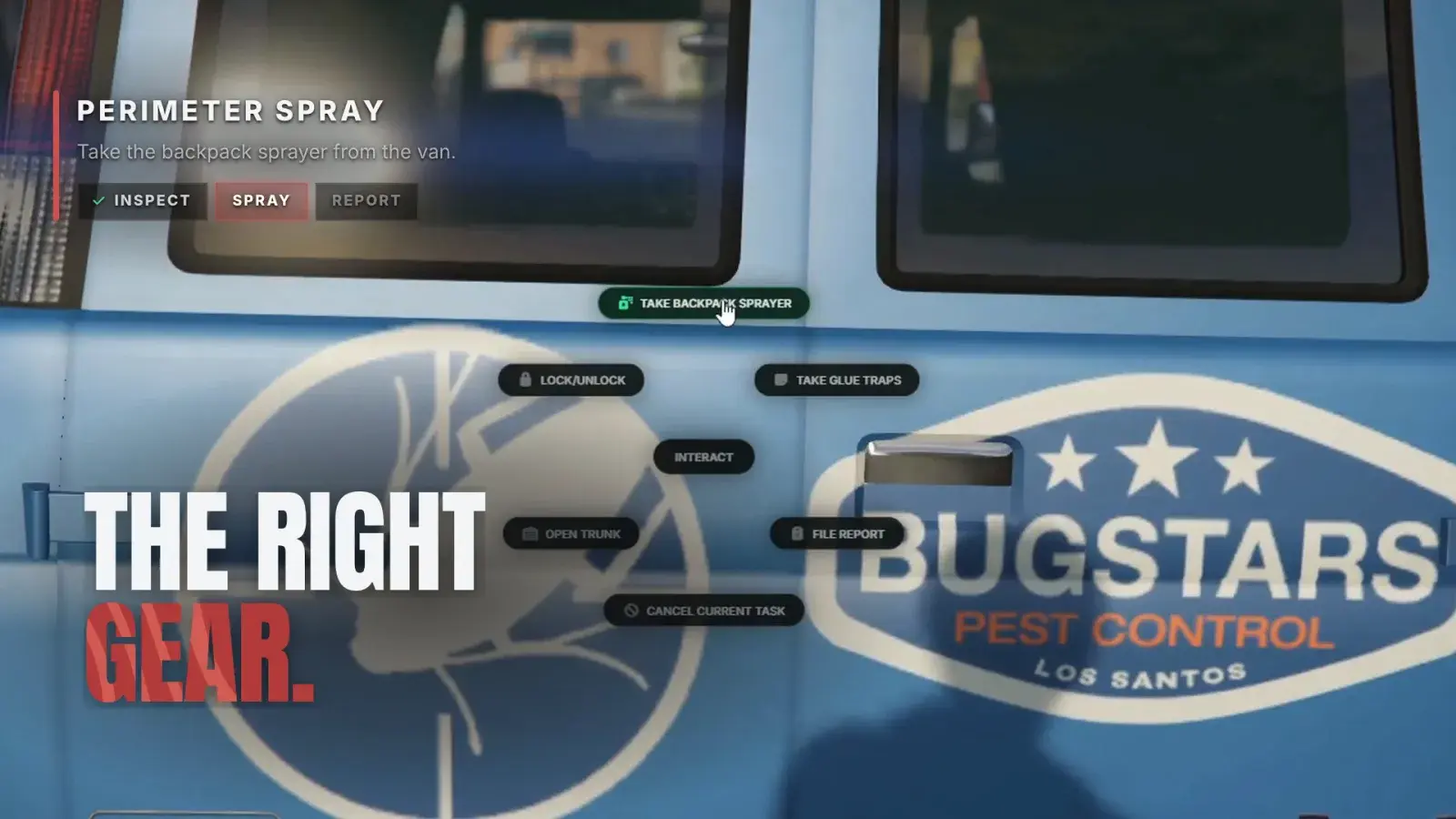
At the van
The right gear only.
The van hands out only the gear the findings call for, and the server checks it, so a technician can never use the wrong treatment for the pest.
04Treat it
Every run
to green.
Cockroaches and rats each need their own treatment, and the report at the van checks that it was finished and that the nest was treated.
Cockroaches / backpack sprayer
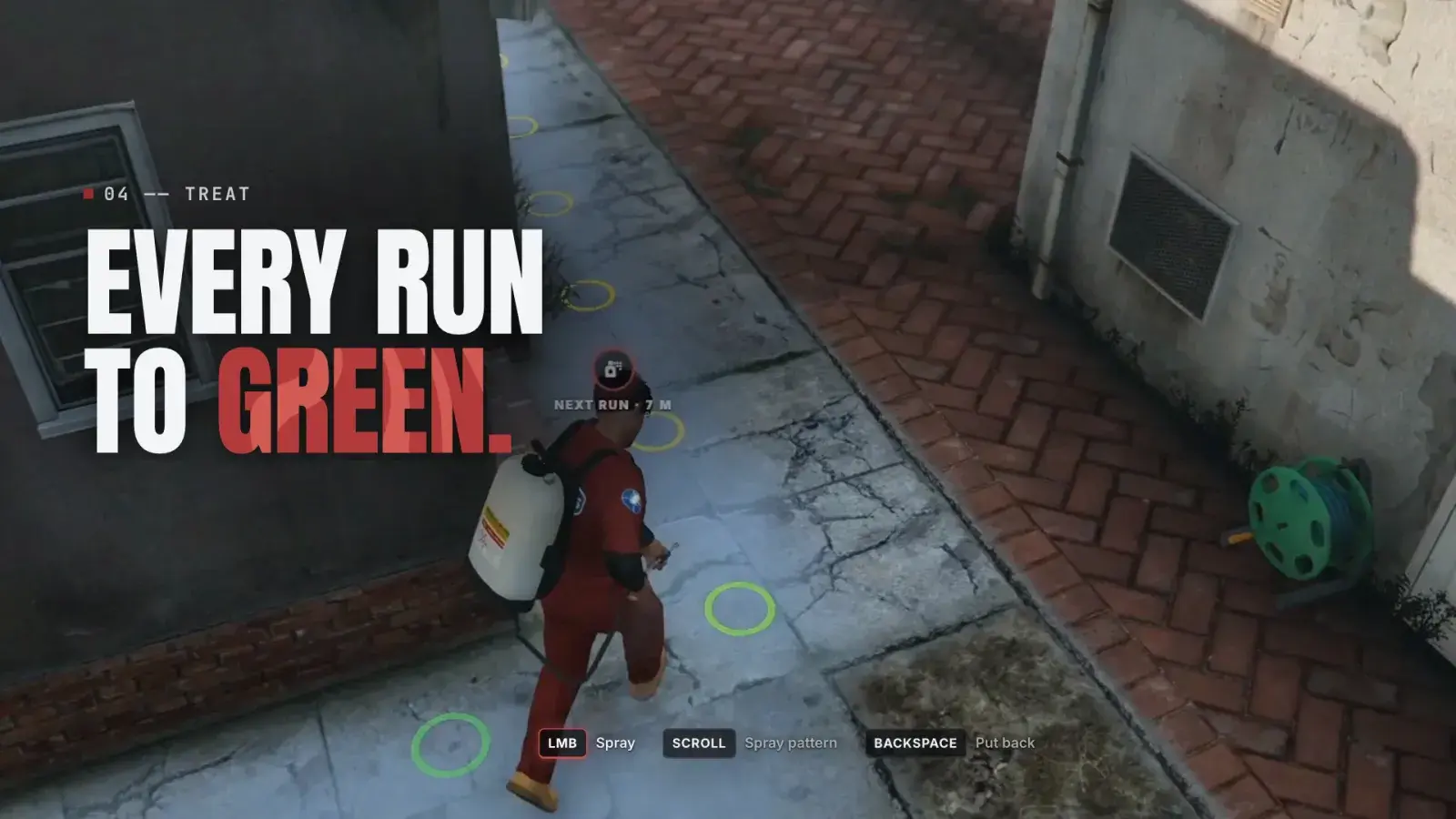
Backpack sprayerCockroaches
Hold the left mouse button to spray and scroll between a wide fan and a long stream. Each run of the foundation fills from grey to green: cover at least 85 % and dose the harbourage.
Glue trapsCockroaches
Lay glue traps by the roach signs for a bonus, up to 3 per call by default. Right-click places each one, with a preview and a short kneel.
Rats / bait stations
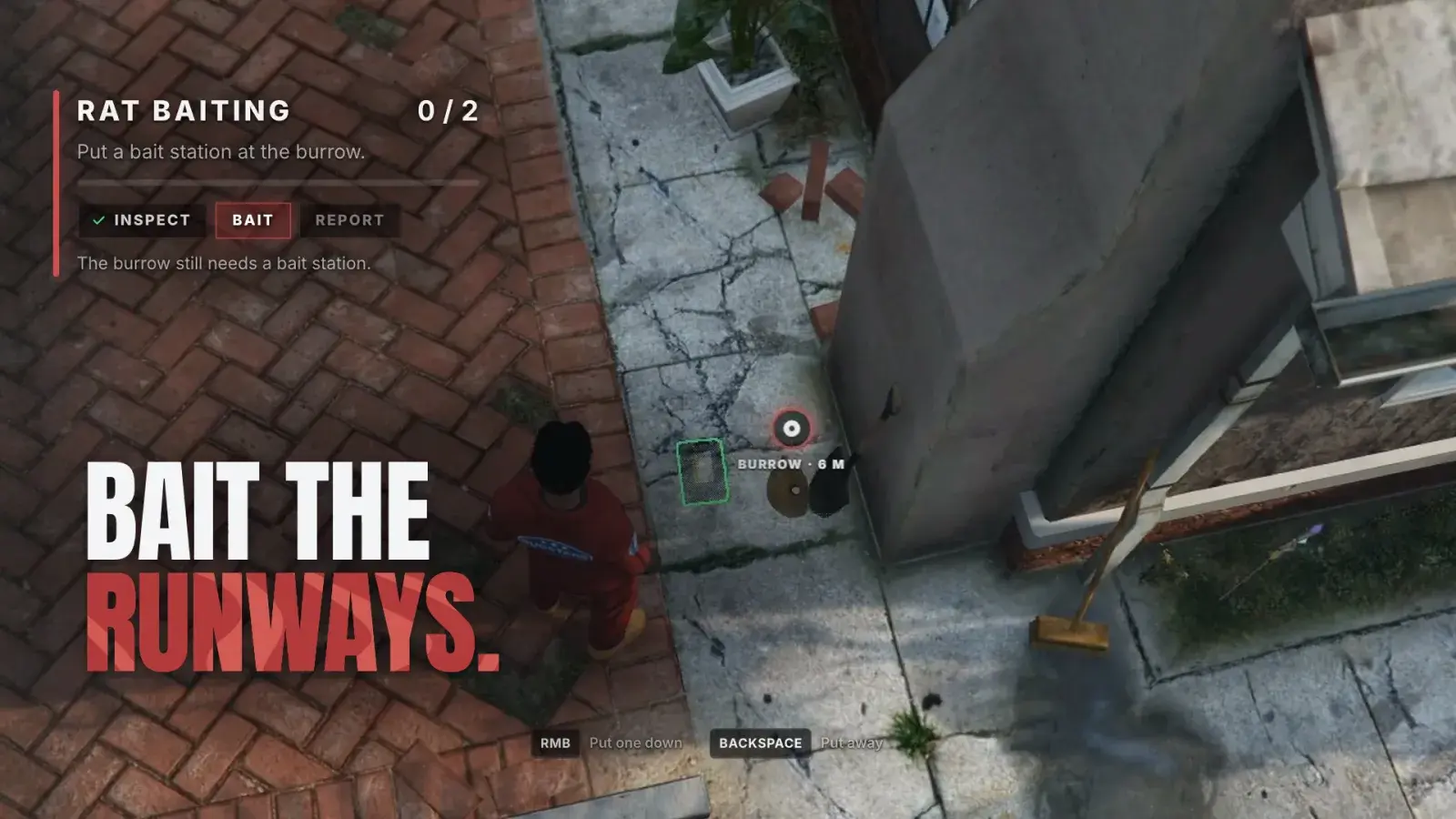
Bait stationsRats
At least 2 on the runways along the wall, with one close to the burrow. The stage card marks the burrow first, then each runway spot.
| Pest | Treatment | Nest treated when | Bonus |
|---|---|---|---|
| Cockroaches | Spray at least 85 % of the foundation line | The harbourage gets a dose of chemical | Glue traps by roach signs |
| Rats | At least 2 bait stations on runways | A bait station within 4 m of the burrow | — |
Shipped defaults
Holster the wand
Backspace stows the hose and the wand on the tank, which stays on the back. G takes the wand back out anywhere, and players can rebind it.
Waste costs you
Chemical sprayed past full or away from the foundation counts as waste. Each level allows some for free; the rest is charged.
No-spray spots
From level 2, pet bowls and vegetable beds sit by the foundation. Spraying one brings an instant complaint and a charge.
Seen by everyone
Other players see the backpack, the wand and hose, the torch and its violet light, the foam can, the ladder and every placed device.
05Wasp nests
Up the
ladder.
Wasp calls open at level 3. The nest hangs under an eave with its swarm round it, and it comes down from a stepladder.
- 01
Ladder
Take the stepladder and the foam can from the van, and set the ladder up under the nest.
- 02
Foam
Climb into a close-up of the nest and hold the foam on it while the swarm shoves your aim.
- 03
Scrape
Once the nest is foamed, drag the scraper under the eave until the nest is bagged.
- 04
Report
Back on the ground, file the report at the van.
- Foam ring
- Swarm ring
The swarm fights back
Its agitation builds faster when the foam misses and calms while the foam is on target. The angrier it gets, the harder it shoves.
Stings
Full agitation means a sting: damage, a pay charge, half the foam progress lost and a trip back down the ladder.
Off the ladder
From level 4, a sting knocks the technician off the ladder instead.
06Crews and ranks
Trainee to
master.
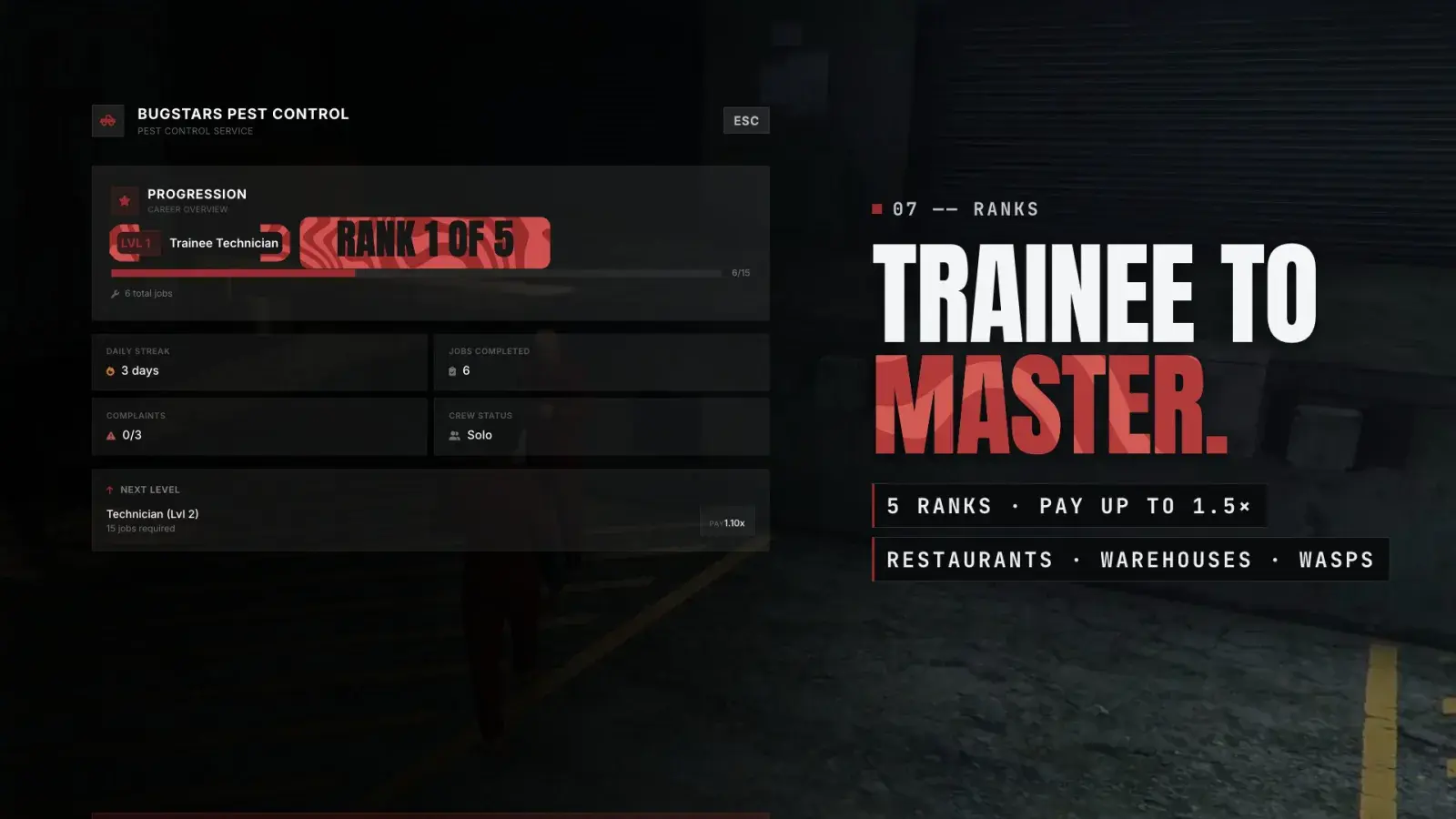
Five ranks raise the pay and open restaurants, warehouses and wasp calls, while the help with the signs falls away. Bring a partner and share the van.
The shift menu / progression
Crews of two
| Rank | Calls needed | Pay | Tip chance | What changes |
|---|---|---|---|---|
| 01Trainee Technician | 0 | 1.0x | 10 % | Houses, with sign pings |
| 02Technician | 15 | 1.1x | 15 % | Restaurants; pet bowls and vegetable beds |
| 03Senior Technician | 40 | 1.2x | 25 % | Warehouses, wasp calls, the pest named on the first sign |
| 04Field Specialist | 80 | 1.35x | 30 % | A sting knocks you off the ladder |
| 05Master Exterminator | 150 | 1.5x | 40 % | No pings; the every-sign bonus |
Shipped defaults; every reported call counts toward the next rank
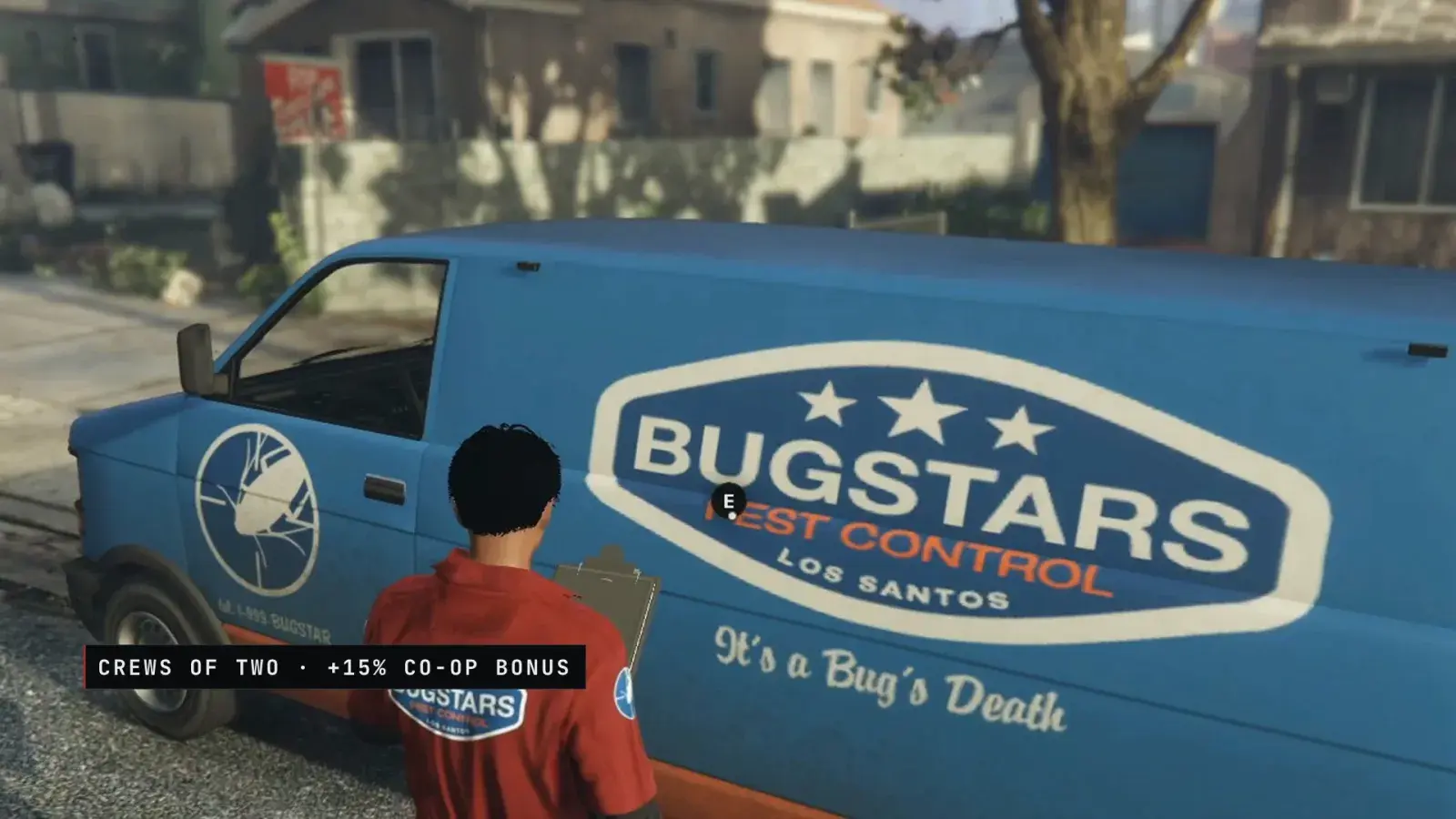
Crews of two
Two players share a van and every call. Either can inspect, spray, place devices, climb the ladder and file the report.
Paid on your own level
Each member is paid on their own level, tips and streak, plus a co-op bonus of 15 % by default.
Nobody stranded
If the leader leaves, the partner keeps the van and the call and carries on solo.
Daily streak
Reporting a call on consecutive days builds a streak, up to 7 days, that adds bonus pay.
07The report and pay
Gross, then
net.
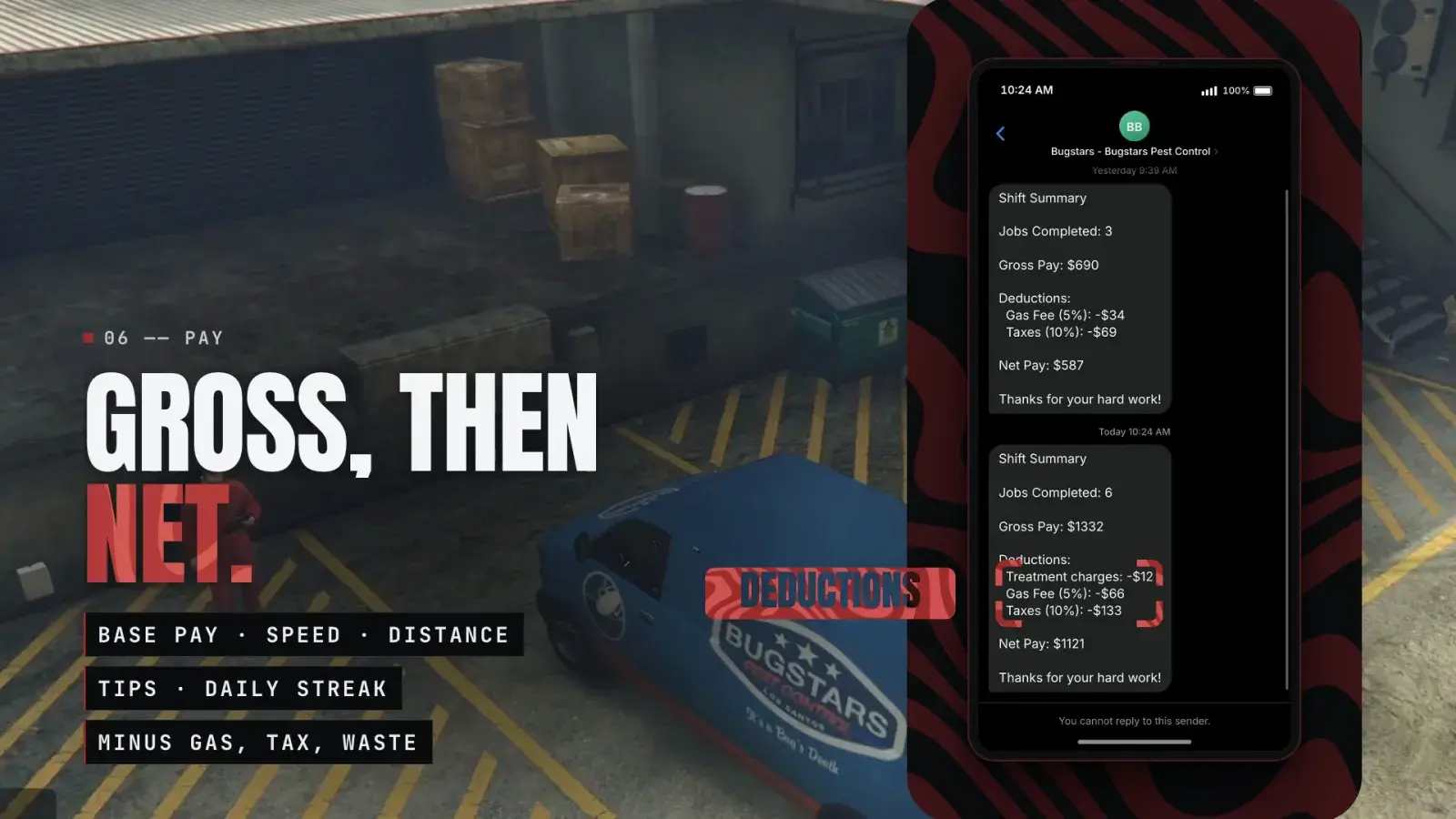
File the report at the van and the server checks the work. Clock out and the summary takes the shift from gross to net.
The shift summary / Oxide Phone
The report
Filed at the van with a clipboard and a short paperwork bar. The server checks what was actually done: the treatment, the nest, wasted chemical, sprayed pet bowls and vegetable beds, and stings.
Cut a corner, they call back
An unfinished treatment or an untreated nest pays less, loses the tip and adds a complaint, and the customer calls back 90 seconds later.
Built up, then taken out
Base pay per pest times the property, plus distance, speed, every-sign and glue trap bonuses, the level multiplier, the streak and tips. Gas (5 %), tax (10 %), van damage and treatment charges come off.
Line by line
The shift summary, as a pop-up or a phone message, lists the calls' own pay and each bonus that paid, then the co-op bonus, gross pay, deductions and net.
No lost pay
Shifts ended by going down, missed calls, the complaint limit or a restart are paid. A player who disconnects on shift is paid at their next login.
Fair play
3 complaints bring a 30-minute suspension, and each clean call takes one away. Every step is checked on the server, and a call reached faster than a vehicle could drive pays no distance or speed bonus.
08For server owners
Set it
in game.
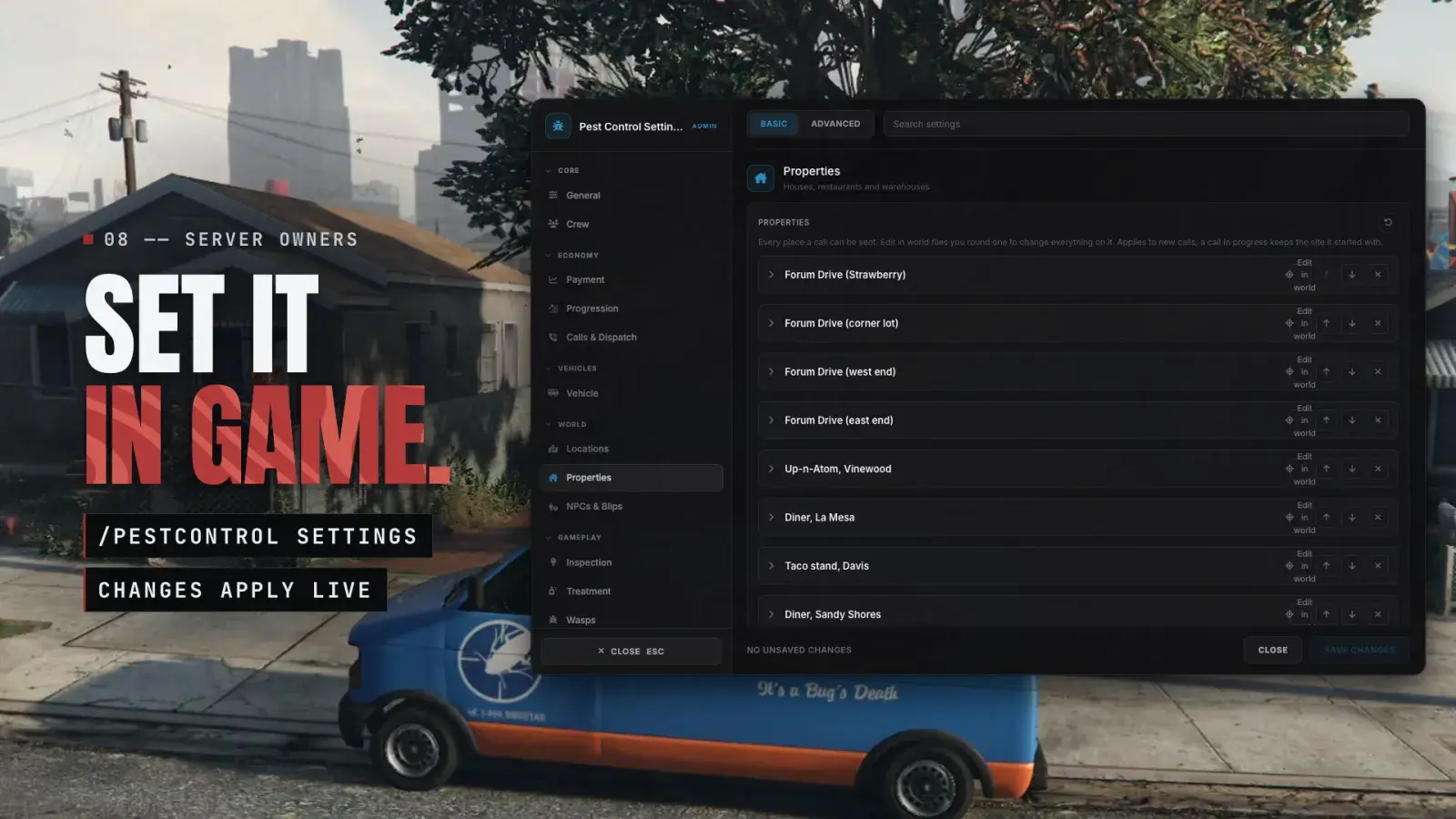
/pestcontrol settings covers the whole job, down to each property's foundation line, and every change applies live.
/pestcontrol settings / properties
Settings applied live
A searchable editor with Basic and Advanced tabs for pay, levels, unlocks, dispatch, the van, depots, properties, the inspection, the sprayer, the wasp takedown, the HUD, uniforms and tutorials. Saved to the database, with no restart.
The property editor
Fly round a property and place its area, spray runs, sign spots, wasp nests and no-spray spots, drawn exactly where a call will put them. A layout a call can't use can't be saved.
More depots
Add depots in game with Place in world buttons for the clerk and the van, and frame the shift menu's camera with the mouse.
Two menu styles
A full menu with a cinematic camera, crew portraits and a progression card, or a light context menu from your server's own menu resource.
Model checks
Every model is checked before it loads. One missing from a player's game build is skipped with a warning naming it, and a replacement can be set in the editor.
Tutorials
19 first-time tooltips walk new players through calls, signs, findings, spraying, devices, wasp nests, reports, crews and level-ups.
Optional uniforms
Dress technicians in your own work uniform while on shift. Off by default.
Translatable
The text players see is in locales/en.json.
Works better with
- Oxide HUDFree. Players move or hide the stage and findings cards with /hud, and the cards follow the HUD accent.
- Oxide PhoneShift updates, customer callbacks and the pay summary as texts, and the phone rings for each call.
Both optional. Other phones that o-link supports get the messages too, as texts or mail
For developers
Read the shift from any script.
Server exports: IsOnShift, GetSetting, SetSetting, GetInfo, GetShift, GetProgression and SetUpdateHandler, for example to stop a player working two jobs at once.
Exports & API ↗-- Stop a player from working two jobs at once
RegisterNetEvent('my-job:server:clockIn', function()
local src = source
if GetResourceState('oxide-pestcontroljob') == 'started'
and exports['oxide-pestcontroljob']:IsOnShift(src) then
return -- finish the pest control shift first
end
-- start your job
end)From the exports reference: check before your own job lets a player clock in.
09Before you install
What it needs.
- 01
Buy it here
Tebex asks you to log in with your Cfx.re account at checkout.
- 02
Download it
Oxide Pest Control appears in your assets on the Cfx.re Portal.
Open your Portal assets ↗ - 03
Start it
Place oxide-pestcontroljob in your resources and start it after your framework and o-link. There is no job or item to add.
- 04
Restart and clock in
Restart the whole server once so the custom props load, then find the green Bugstars Pest Control blip and talk to the clerk.
Requirements
- ox_lib
- oxmysql
- o-link 1.11.0 or newer
- In practice, a target resource that o-link supports
Optional
- Oxide HUD (free), with o-link 1.12.1 or newer
- A phone resource that o-link supports, for shift messages and the call ring
- A clothing resource that o-link supports, for uniforms
Frameworks
- QBCore
- Qbox (qbx_core)
- ESX
- All framework interaction goes through o-link
Database
Three shared tables, job_progression, job_pending_payouts and oxide_settings, created on first start. There is nothing to import; the database user needs permission to create tables.
Code delivery
Escrow protected through Cfx.re asset escrow. shared/config.lua, shared/config/*.lua, locales/*.json and sql/*.sql are open. The custom props are encrypted.
Custom props
Streamed by the resource: the sprayer tank shaped for the male and the female body, the wand, the bait station, the glue trap, the wasp nest live and foamed, and the UV signs.
Frontend
Vue 3, Vite and Tailwind CSS for the shift menu, the call cards, the stage and findings cards, the pay summary and the settings editor. The UI ships pre-built: no build step.
Which frameworks does it run on?
QBCore, Qbox and ESX, through o-link 1.11.0 or newer. o-link detects your framework for you, so there is nothing to pick.
Do I need to add a job or inventory items?
No. Any player can clock in with the depot clerk, and the torch, sprayer, devices, ladder and foam can are handed out at the van and taken back when the shift ends.
Can other players see the signs?
No. The signs show only for the crew working the call. They are real models, visible in any light, and each technician sees a sign glow only in their own torch beam.
Can two players work a call together?
Yes. Crews of two share a van and every call, each paid on their own level with a 15% co-op bonus by default. Set the crew size to 1 in /pestcontrol settings to allow only solo shifts.
Does it need a phone resource?
No, it's optional. With a phone that o-link supports, shift updates, callbacks and the pay summary arrive as texts or mail, and the phone rings for each call. Calls are always accepted on screen.
Does it work with Oxide HUD?
Yes. With the free Oxide HUD and o-link 1.12.1 or newer, players move or hide the stage and findings cards in /hud. Without it, the cards sit clear of the usual top-corner HUDs, at positions you can change.
Read the signs.
A pest control gig job for QBCore, Qbox and ESX, with no job or items to set up. On every cockroach and rat call, the signs tell you which pest.

Oxide Pest Control
Read the signs
Find the pest, then treat it.
Oxide Studios